Windows 11 Insiders can format FAT32 volumes up to 2 TB
Windows 11 Insider Preview builds in April 2026 raise the command-line FAT32 format size cap from 32 GB to 2 TB. That matters if you prepare USB sticks for cameras, cars, or mixed OS machines that still expect FAT32 - but it does not lift the separate 4 GiB per-file ceiling. For why large videos still fail on FAT32 even on a big stick, see FAT32's 4 GiB file limit.
Last reviewed: 2026-07-19
freetoolonline.com Editorial TeamWhat happened
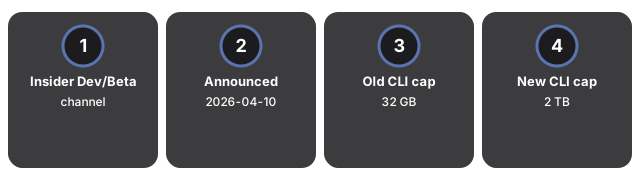
Microsoft's Windows Insider blog for Dev-channel build 26300.8170 (announced 10 April 2026) states it is increasing the size limit for formatting FAT32 volumes via the command line from 32 GB to 2 TB. Independent coverage from PCWorld and TechSpot confirms the same numbers and notes a matching Beta-channel build (26220.8165). The change uses the built-in format utility; the graphical format dialog still enforces the old 32 GB cap. FAT32 itself could always describe larger volumes - Windows had been refusing to create them. Reading a larger FAT32 volume made elsewhere already worked on many Windows builds.
| Detail | Value |
|---|---|
| Channel | Windows 11 Insider (Dev 26300.8170 / Beta 26220.8165) |
| Announced | 2026-04-10 (Windows Insider Blog) |
| Old CLI format cap | 32 GB |
| New CLI format cap | 2 TB |
| GUI format dialog | Still 32 GB |
| Per-file limit | Still 4 GiB on FAT32 |
Why it matters for everyday files
People still format USB drives as FAT32 so a camera, car head unit, TV, or a friend's Mac and PC can all see the same stick. The old Windows format UI/CLI stop at 32 GB pushed many users toward exFAT or third-party formatters when the stick was larger. A 2 TB CLI path means you can keep FAT32 compatibility on bigger media without leaving Windows - as long as no single file needs to exceed 4 GiB. That file-size limit is unchanged and still breaks large video dumps, disk images, and big ZIP archives. When a transfer fails on a "big enough" stick, check the file size first, then the volume format.
What to do with your files right now
Before you reformat a working drive:
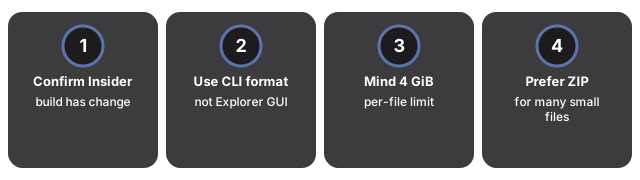
- Confirm you are on an Insider build that includes the change (Dev 26300.8170 / Beta 26220.8165 or newer). Stable Windows 11 may still enforce 32 GB until the feature ships broadly.
- Use Command Prompt or Terminal with the built-in
formatcommand for FAT32 volumes above 32 GB; do not expect File Explorer's format dialog to offer the new ceiling yet. - Keep the 4 GiB file rule in mind - split or recompress oversized videos and archives, or switch to exFAT/NTFS when every device in the chain supports it (see the 4 GiB FAT32 file limit note).
- Prefer a ZIP when sharing many small files across machines - tools such as ZIP file and Unzip file stay format-agnostic once the archive fits under the destination's per-file limit.