Compress ZIP Size: How Much Smaller Will the Archive Actually Get?
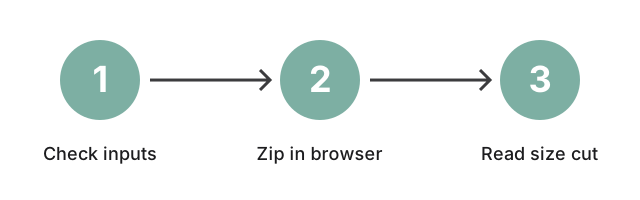
The ZIP compressor on this site builds a .zip archive in the browser and shows the final size before download. Text files, source code, logs, and CSV typically shrink 60 to 80 percent under DEFLATE; JPG photos, MP4 video, and MP3 audio shrink 0 to 5 percent because those formats are already compressed by their own codec.
Last reviewed: 2026-05-15
| Input type | Typical ZIP size cut |
|---|---|
| Plain text, CSV, JSON, logs | 60 to 80 percent smaller |
| Source code (.js, .py, .java, .html) | 50 to 80 percent smaller |
| Uncompressed bitmaps (BMP, TIFF) | 40 to 70 percent smaller |
| Office docs (DOCX, XLSX, PPTX) | 0 to 10 percent smaller (already ZIP inside) |
| JPG photos | 0 to 3 percent (sometimes grows by 1 percent) |
| MP4 / MOV / MP3 / M4A | 0 to 2 percent (sometimes grows by 1 to 2 percent) |
| PDF (most modern PDFs) | 0 to 5 percent (content streams are already compressed) |
Where to actually build the archive: the in-browser ZIP creator lives at https://freetoolonline.com/zip-tools/zip-file.html. Drag the folder in, the tool packs every file into a single .zip on your device, and the download arrives without the contents ever touching a server. The size cut you read in the table above is what you will see in the resulting file's properties.
What about the "compression level" setting? In practice, leave it on the standard DEFLATE default. Maximum or Ultra add CPU time on your side and rarely shave more than a few extra percent off a text-heavy archive; Store or Fast only help when speed matters more than size. The compressibility of the inputs (the table above) sets the ceiling on how much smaller the archive can become; the level slider mostly changes how long the build takes, not whether it shrinks.
If you need a specific size target. When the goal is "fit this under 25 MB for email" rather than "make this as small as possible," the right tool is the size-target variant at how to compress a ZIP to a smaller size (the 2 MB / 25 MB / 100 MB cap walkthrough). For the underlying "when does ZIP save space at all" conceptual question, the sibling guide at compress ZIP covers the disambiguation. This page is the practical "how much will it shrink?" answer for a folder you already have.
If most of your folder is media. Split the delivery before you archive. Zip the text-like files together for the real size win, then leave the photos, video, and audio as-is or re-encode them with their own tools (resize, JPEG re-quality, or MP4 transcoding). Two smaller pieces are usually smaller than one ZIP that wrapped media which had nothing left to compress.
What the archive cannot help with. Encrypted PDFs, password-protected ZIPs, MP4s, and any file already encoded with a modern lossless or lossy codec are arithmetically incompressible by ZIP. The DEFLATE algorithm needs repeated patterns to find a shorter symbol for; ciphertext and codec-output deliberately look random and have nothing repetitive to remove. The output of ZIP on these inputs is roughly the input size plus a small packaging overhead, sometimes slightly larger than the original.