GPU Test vs Installing a Benchmark Suite
Before installing a benchmark suite, GPU Test reports what your browser's graphics stack can do and runs a full frame-rate benchmark in 20 to 40 seconds, with nothing installed. Each side buys you something different.
The numbers side by side
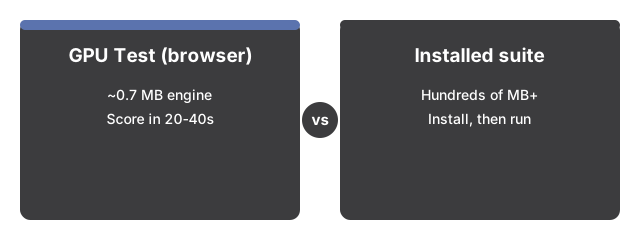
The numbers below put GPU Test side by side with its alternatives at a glance.

GPU Test keeps the upfront cost near zero. The page downloads about 0.7 MB of 3D engine once and caches it; an installed suite asks for a large download and an installer before anything runs.
| Aspect | GPU Test in the browser | Typical installed benchmark suite |
|---|---|---|
| Install size | About 0.7 MB of 3D engine, cached after the first visit | Hundreds of MB or more |
| Time to a score | 20 to 40 seconds per run | Minutes - download, install, launch, then the run |
| Run history | Last 20 runs, saved in this browser only | Varies - often tied to an account or online database |
| Workload | 9 tiers of instanced 3D geometry, 1,000 up to 256,000 meshes | Deeper scenes plus hardware probes the browser cannot reach |
The capability report costs even less. It paints instantly, before the 3D engine loads: WebGL 1 and 2 availability, the renderer name your browser reports, texture and viewport limits, and whether WebGPU is present.
Where the browser test wins
The browser test wins for GPU Test on speed and privacy. Click Run benchmark and the scene doubles in size per tier while the page measures the median frame rate; tiers advance while that median holds 55 FPS, and frame rates above 60 count as 60 so high-refresh screens stay roughly comparable. Everything renders on your own device - no account, no upload, no server processing. Your last 20 runs stay in this browser's local storage, enough to watch a trend after a driver update, and the test works fullscreen.
Where an installed suite still wins
An installed suite still wins when you need precision and depth. GPU Test is an indicative browser benchmark, not a lab-grade suite: device heat, battery mode, and other open tabs shift the numbers, so scores only mean something between runs on the same device and browser. An installed suite runs closer to the hardware and measures what the browser test deliberately does not - video memory, compute throughput, thermals, power draw - and its scores can be compared across machines, which browser numbers never can. And some browsers mask the renderer name for privacy; the page says so instead of guessing your hardware.
The practical rule
As a practical rule, reach for the browser test when the question is immediate: did a driver update help, or can this machine handle a heavier 3D page. Pick an installed suite when you need cross-device comparisons, hardware-level detail, or a number worth publishing.
For a first run from click to score, see GPU Test: step by step.
For the four everyday situations where a quick browser benchmark genuinely fits, see when a GPU test is worth running.
Why trust these tools
- Ten-plus years of web tooling. The freetoolonline editorial team has shipped browser-based utilities since 2015. The goal has never changed: get you to a working output fast, without an install.
- No install, no sign-up. Open a tool and get a working output in seconds - nothing to download and no account to create. Tools that need heavy processing run it on our service, so even a low-powered machine gets the job done.
- Analytics stops at the page view. We measure which pages get visited, not what you type or upload inside a tool. There is nothing to sign in to and no profile is attached to your input.
- Open-source core components. The processing engines underneath (libheif, libde265, pdf-lib, terser, clean-css, ffmpeg.wasm, and others) are public and audit-able. We link to each one in its tool page's footer.
- Free, with or without ads. All tools are fully functional without sign-up. The Disable Ads button in the header is always available if you need a distraction-free run.