LED Test
The tool you need for an LED test is the in-browser screen test at https://freetoolonline.com/device-test-tools/lcd-test.html - it paints solid red, green, blue, black, white, and yellow edge-to-edge so a dead or stuck pixel stands out against the uniform field on any LCD, OLED, or LED panel. No install, no account; open the page and tap a color.
Editorial team ·| Property | Value |
|---|---|
| Format | Online tool, no install |
| Speed | Browser-side; output in seconds |
| Privacy | Files stay on-device (no upload) |
| Implementing tool | https://freetoolonline.com/device-test-tools/lcd-test.html |
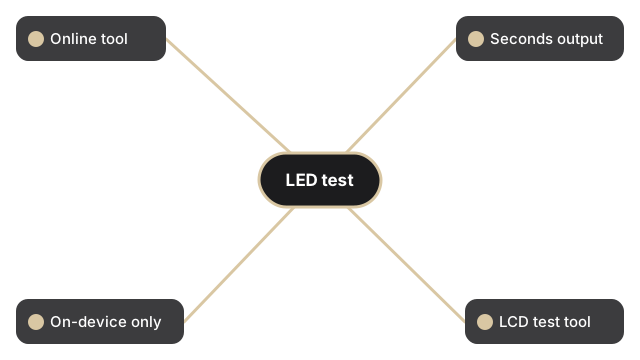
The test itself is one tap per color. Click a color tile (red, green, blue, black, white, or yellow) and the browser paints the chosen color across the full viewport, with an optional Fullscreen toggle on screens 821 pixels wide and larger so the color lifts past the browser chrome and address bar. A stuck pixel near the edge of the panel stays visible at arm's length on a fullscreen field where a tab strip would otherwise hide it. The Reset button drops the overlay so consecutive colors can be swept quickly without a refresh, and the page handles LCD, OLED, and LED panels on phone, laptop, and desktop browsers because the per-pixel response test is panel-type-agnostic.
Which color the LED test uses for each defect
The LED test colors each target a different defect class. Black fills the screen to reveal stuck-bright pixels on the LED panel - pixels stuck at full brightness in one channel show as a colored dot against a black field. White reveals dead-dark pixels and dust on the panel surface. Red, green, and blue each isolate subpixel faults in their own channel: a dead red subpixel appears as a cyan speck on a red field. Yellow stresses both the red and green subpixels at once, catching faults that slip through single-channel checks.
Related tests
Related test guides covering touchscreen spots and dead-pixel inspection before returning a monitor:
How to test a touchscreen for bad spots, and how to test for dead pixels before returning a monitor.