Cách chơi Pixel Pipeline Reflex - Hướng dẫn từng bước
Pixel Pipeline Reflex tải game phản xạ ~48 KB bằng ES module trong tab. Khớp các giai đoạn Fetch, FIFO, Mix, Light bằng phím 1-4, chạm hoặc click trước khi tia quét hết thời gian.
Bước 1 - bắt đầu frame
Bấm Play trên trang, rồi Start frame trong game hoặc Enter/Space. Chọn Chill, Arcade (mặc định) hoặc Meltdown - mỗi mức thay đổi mục tiêu frame, giới hạn glitch, tốc độ tia và tổng thời gian.
Bước 2 - đọc giai đoạn tiếp theo và đánh bại tia quét
Xem nhãn Next stage và hàng đợi pixel. Tia quét chạy trên canvas - bấm phím giai đoạn đang sáng (1 Fetch, 2 FIFO, 3 Mix, 4 Light), chạm nút hoặc click trước khi hết giờ.
Bước 3 - ổn định frame không bị glitch
Thắng bằng cách ổn định mục tiêu: 10 ở Chill, 12 ở Arcade, 14 ở Meltdown. Nhập sai và hết giờ tính là glitch; vượt giới hạn (6/5/4) thì kết thúc.
Bước 4 - combo và seed
Đúng liên tiếp tăng hệ số combo. Seed hàng ngày dùng ngày Shanghai; seed tùy chỉnh qua ?seed= trên URL hoặc ô nhập trên trang. Copy link để chia sẻ thử thách.
Bước 5 - âm thanh, tạm dừng và điểm cao local
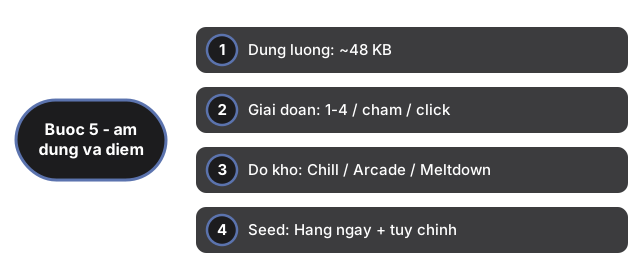
Âm thanh tùy chọn và mặc định tắt - bật/tắt bằng nút Sound (lưu ftol:pixelpipelinereflex:sound-enabled). P để tạm dừng. Điểm cao theo seed và độ khó lưu ftol:pixelpipelinereflex:{seed}:{difficulty}.
| Thiết lập | Giá trị | Ghi chú |
|---|---|---|
| Dung lượng | ~48 KB | ES module (game.js + app.js) trong iframe |
| Giai đoạn | 1-4 / chạm / click | Fetch, FIFO, Mix, Light |
| Độ khó | Chill / Arcade / Meltdown | 10/12/14 frame; giới hạn 6/5/4 glitch |
| Seed | Hàng ngày + tùy chỉnh | Ngày Shanghai hoặc ?seed= trên URL |
| Điểm cao | localStorage | Key: ftol:pixelpipelinereflex:* |
| Server | 0 | Chạy hoàn toàn trên client |
Why trust these tools
- Ten-plus years of web tooling. The freetoolonline editorial team has shipped browser-based utilities since 2015. The goal has never changed: get you to a working output fast, without an install.
- No install, no sign-up. Open a tool and get a working output in seconds - nothing to download and no account to create. Tools that need heavy processing run it on our service, so even a low-powered machine gets the job done.
- Analytics stops at the page view. We measure which pages get visited, not what you type or upload inside a tool. There is nothing to sign in to and no profile is attached to your input.
- Open-source core components. The processing engines underneath (libheif, libde265, pdf-lib, terser, clean-css, ffmpeg.wasm, and others) are public and audit-able. We link to each one in its tool page's footer.
- Free, with or without ads. All tools are fully functional without sign-up. The Disable Ads button in the header is always available if you need a distraction-free run.