
An educational canvas RPG: explore maps, complete motion drills, and battle creatures while practicing real Vim keys like h, j, k, l, w, b, and f.
Thinking about whether a Vim drill fits now? Read when Vim Motion Academy is worth a session.
Creature training where every lesson is a Vim motion. Press Play to load about ~350 KB.
Vim Motion Academy
Press Play and a canvas RPG of about 350 KB loads in the tab. Pick a starter creature, then explore the Home Row House map using Vim motion keys instead of arrow keys.
| Step | Action |
|---|---|
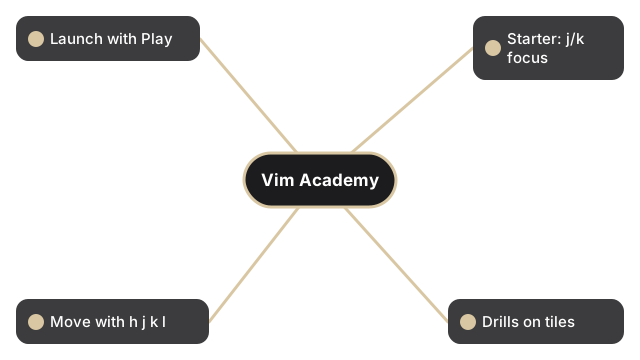
| Launch | Play on this page to inject the iframe |
| Starter | Use j/k to focus a creature, Enter to confirm |
| Move | h j k l navigate the overworld |
| Drills | Step on lesson tiles and type the requested keys - w, b, f, t |
| Battle | Type the shown Vim keys to attack in turn-based fights |
| Tree | Press o for the in-game VimTree panel, : for command mode |
Adapted from error311/vimmonsters-academy (MIT). ES modules with local PNG sprites, zero CDN after load. Saves and leaderboard meta persist in namespaced localStorage.
Vim Motion Academy compared with the other keyboard-driven browser games
Pick Vim Motion Academy when you want keyboard muscle memory for editor motions wrapped in a game loop rather than a drill list. The payload column matters on a slow connection.
| Game | Payload after Play | What it teaches |
|---|---|---|
| Vim Motion Academy (this page) | ~350 KB | Motion keys in an RPG overworld with turn-based battles |
| Vim Master | ~584 KB | Vim commands in a simulated editor, driven by JSON lessons |
| Pixel Realm RPG | ~3.8 MB | Top-down exploration RPG, not a Vim trainer |
Frequently Asked Questions
Do I need arrow keys?
No. Movement uses Vim keys h, j, k, and l inside the iframe. The game teaches motions through drills and battles.
Does progress save?
Yes. Run progress and local leaderboard meta persist under ftol:vimmotionacademy localStorage keys in your browser.
How large is the download?
About ~350 KB across HTML, ES modules, and local sprite PNGs.