How to Play Cat Typing Race - Step by Step
The Cat Typing Race page loads a ~28 KB typing duel in an iframe. Race the AI cat through letter rounds and ten levels. Press Play on this page to start.
Step 1 - press Play on this page
Press Play to inject the iframe (~28 KB). Click the canvas so keyboard events reach the game. Upstream is cemalgnlts/js13k-typing-test (MIT, JS13K 2025).
Step 2 - read the welcome dialog
The first overlay explains the research-themed typing challenge. Press the J key to continue into round one.
Step 3 - match letters with A-Z
Letters appear in a row at the top. Press the matching keyboard letter (KeyA through KeyZ). Correct guesses turn green; wrong keys turn red for your side.
Step 4 - watch the cat indicator
Small avatars under each letter show who guessed it. A circular timer arc on the cat shows its thinking time before it tries a key.
Step 5 - use perks wisely
Bomb perk costs you a point. Rocket perk removes a point from the opponent. Snowflake perk freezes you for two seconds after scoring.
Step 6 - finish levels and rounds
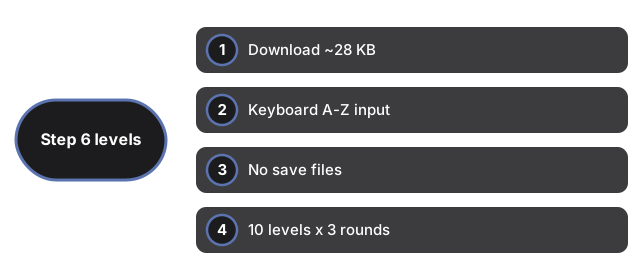
Each level has three rounds. Letter count grows with level (up to ten letters). Win the round fastest with at least half correct to earn bonus points. Complete level ten to see final stats.
| Setting | Value | Notes |
|---|---|---|
| Download | ~28 KB | index.html + main.js |
| Input | keyboard A-Z | J continue, M music toggle |
| Saves | none | fresh run each session |
| Structure | 10 levels x 3 rounds | perks on random letters |
See when to play, comparisons, and Potion Brew Shop.
Why trust these tools
- Ten-plus years of web tooling. The freetoolonline editorial team has shipped browser-based utilities since 2015. The goal has never changed: get you to a working output fast, without an install.
- No install, no sign-up. Open a tool and get a working output in seconds - nothing to download and no account to create. Tools that need heavy processing run it on our service, so even a low-powered machine gets the job done.
- Analytics stops at the page view. We measure which pages get visited, not what you type or upload inside a tool. There is nothing to sign in to and no profile is attached to your input.
- Open-source core components. The processing engines underneath (libheif, libde265, pdf-lib, terser, clean-css, ffmpeg.wasm, and others) are public and audit-able. We link to each one in its tool page's footer.
- Free, with or without ads. All tools are fully functional without sign-up. The Disable Ads button in the header is always available if you need a distraction-free run.