
Move through a scrolling field while auto-fire mows down slimes and bats in this tiny browser horde-survival game: level up from gem pickups and face a skull boss after 45 seconds. No install, no account, nothing uploaded.
Want a roguelite twist with level-up upgrade cards? Try Neon Surge Loop.
WASD or the arrow keys handle movement; your character auto-fires at whatever enemy is closest. Hang on for 45 seconds and the boss spawns. About 28 KB loads when you press Play.
Procedural Horde Game
Press Play and a pixel hero drops into a scrolling field while slimes, bats, and ghosts close in from every direction. Move with WASD or the arrow keys; your shots fire automatically at the nearest enemy, so the challenge is dodging contact damage while steering toward XP gems. Every gem fills a level bar - when it completes, you gain more health and one of three upgrades on a rotating cycle: faster fire rate, more damage per shot, or an extra projectile in each volley.
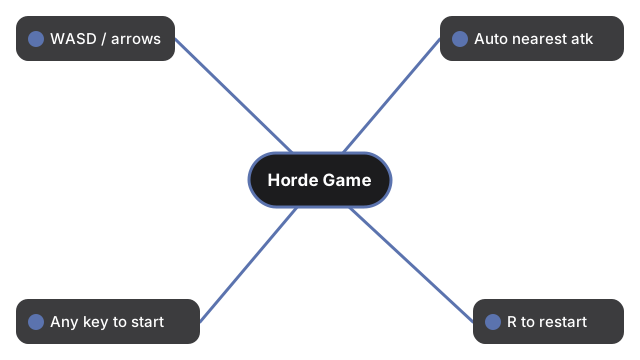
Controls at a glance:
| Action | Input |
|---|---|
| Move | WASD or arrow keys |
| Attack | Automatic (targets nearest enemy) |
| Start from title | Any key, or click the canvas |
| Restart after win/loss | R |
| Mute / unmute | M |
A 45-second countdown runs at the top of the screen. When it hits zero, a skull boss spawns with a larger health bar and radial bullet patterns; defeating it shows a victory screen. Take too much damage and the run ends - press R to try again. The chiptune music and every sprite are generated in code (no image or audio files), so the whole game is a single ~28 KB download with no network calls after load.
Nothing is saved between visits: there is no score list, resume state, or account. The game makes no network calls after it loads. It is adapted from Andy Garcia's open-source CodeQuest project (MIT license); credits and license text ship next to the game files.
Frequently Asked Questions
What does Procedural Horde Game do?
It is a browser horde survival game: move with WASD or the arrow keys while your character auto-fires at the nearest enemy, collect XP gems to level up, survive 45 seconds to spawn a skull boss, and press R to restart after a win or loss.
Does it work on a phone?
No - the game is controlled with a keyboard only. On a phone or tablet the page and game load, but you cannot move; use a desktop or laptop to play.
Is anything saved in my browser?
No. There is no score list, resume state, or account - each visit starts fresh, and the game makes no network calls after it loads.
How big is the download?
About 28 KB total - a single HTML file with inline JavaScript, procedural pixel sprites, and synthesized chiptune audio. It downloads once from this site, then the browser caches it.