How to Play Sky Gates Flight - Step by Step
Sky Gates Flight is an arcade flying game played right in the browser: steer a small plane over the ocean, fly through green gates to build power, dodge the red ones, and keep going until power runs out. Every run starts with 10 power, and your best distance is saved on this device.
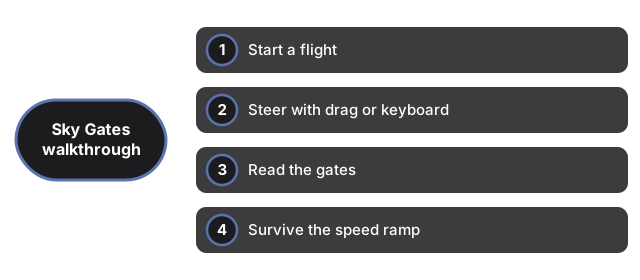
Start a flight
Open the page and your best distance and peak power from earlier runs are shown before you even take off - there is nothing to install and no account to create. Click Start flight and the plane sets off over the ocean with a power level of 10. That number is the run's life bar: every gate you fly through changes it, and the flight lasts as long as it stays above zero.
Steer with drag or keyboard
Drag anywhere on the scene to move the plane - it works with a finger on phones and with the mouse on desktop - or use the arrow keys or WASD. Steering covers left, right, up, and down inside a corridor while the world scrolls toward you. The plane banks into turns and pitches as it climbs, and a chase camera follows behind. One click on the fullscreen button puts the whole run on your screen.
Read the gates
Banner gates strung between poles spawn in rows ahead. Green gates add their number to your power, red gates subtract theirs, and after 30 seconds an occasional gold x2 gate doubles whatever you have. Every row contains at least one green option, so there is always a survivable path - the skill is spotting it early enough to reach it. Gates pop and fade as you fly through them.
Survive the speed ramp
The pace rises as you fly: speed climbs every ten seconds from 40 toward a cap of 90, red gates grow harsher over time, and gate rows tighten with distance. This is arcade flying with simplified physics, not a flight simulator - no fuel model, no stalls, just steering. When power hits zero the run ends with your final distance and peak power, plus a Restart button for the next attempt.
Keep your best and turn on sound
Your best run - peak power and distance - is saved automatically in this browser's localStorage and shown before your next flight. It stays on this device only: there are no accounts, uploads, or leaderboards, and clearing site data removes it. Gate chimes and buzzes are synthesized on your device rather than loaded as audio files, and they stay muted until you click the sound toggle.
For help deciding when a short arcade run like this fits best, see when to play Sky Gates Flight.
For an honest comparison with installed flying games - what each offers and where each wins - see Sky Gates Flight vs installing a flying game.
Why trust these tools
- Ten-plus years of web tooling. The freetoolonline editorial team has shipped browser-based utilities since 2015. The goal has never changed: get you to a working output fast, without an install.
- No install, no sign-up. Open a tool and get a working output in seconds - nothing to download and no account to create. Tools that need heavy processing run it on our service, so even a low-powered machine gets the job done.
- Analytics stops at the page view. We measure which pages get visited, not what you type or upload inside a tool. There is nothing to sign in to and no profile is attached to your input.
- Open-source core components. The processing engines underneath (libheif, libde265, pdf-lib, terser, clean-css, ffmpeg.wasm, and others) are public and audit-able. We link to each one in its tool page's footer.
- Free, with or without ads. All tools are fully functional without sign-up. The Disable Ads button in the header is always available if you need a distraction-free run.