
Claudicus Quest is a turn-based medieval militia RPG in the browser: walk Brannford village, Thornwood forest, and Greymoor Crypt, fight with Attack/Defend/Potion/Flee menus, pick a permanent class at level 3, and save locally. About ~132 KB after Play, no install, no account.
Prefer a larger town RPG with touch controls? Try Violence Town.
Medieval militia RPG on the open-source Claudicus engine (MIT). About ~132 KB downloads once from this site when you press Play, then the browser caches it. Saves to your browser; nothing is uploaded.
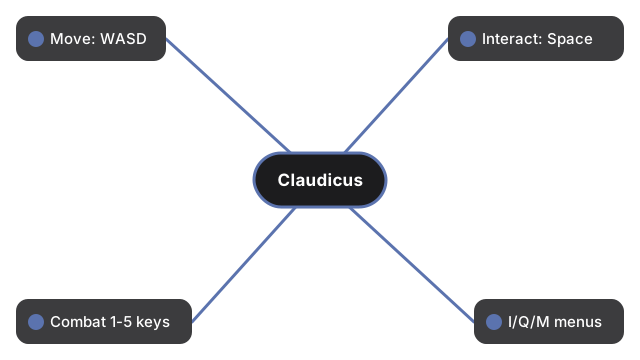
Keyboard primary: WASD or arrows to move, Space/Enter to interact, 1-4 combat, 5 special, I inventory, Q quest log, M mute, Esc pause/save.
Claudicus Quest
freetoolonline.com editorial team
Claudicus Quest is a turn-based medieval militia RPG that runs entirely in your browser. You explore Brannford village, Thornwood forest, and Greymoor Crypt, take quests from NPCs, shop for gear, and fight turn-based battles with menu-driven combat. At level 3 you permanently choose WARRIOR, SCOUT, or BRIGAND. Press Play to load about ~132 KB once, then the browser caches the bundle.
Controls at a glance:
| Action | Input |
|---|---|
| Move | WASD or arrow keys |
| Interact / advance dialog | Space or Enter |
| Combat | 1 Attack, 2 Defend, 3 Potion, 4 Flee, 5 special |
| Inventory / quests / mute | I inventory, Q quest log, M mute |
| Pause / save | Esc (Resume, Save Game, Quit to Title) |
Three maps ship in the engine: Brannford (village hub), Thornwood (forest encounters), and Greymoor Crypt (dungeon boss). Saves use localStorage key ftol:claudicusquest:save; Continue on the title screen resumes your run. Art and audio are code-drawn Canvas 2D sprites and procedural Web Audio - no CDN at runtime. Adapted from Claudicus by Brian Benzinger under the MIT license.
Frequently Asked Questions
What does Claudicus Quest do?
It is a turn-based medieval militia RPG in the browser: explore Brannford, Thornwood, and Greymoor Crypt, take quests, shop for weapons and armor, and fight menu-driven battles. At level 3 you pick a permanent class path (WARRIOR, SCOUT, or BRIGAND).
Does it work on a phone?
The page and game load on a phone, but controls are keyboard-only (WASD, number keys, I, Q, M, Esc). There are no on-screen touch buttons, so a desktop or laptop with a keyboard is the practical way to play.
Is anything saved in my browser?
Yes. Saves use localStorage key ftol:claudicusquest:save (player, quests, and world state). Continue on the title screen loads it; Esc opens a pause menu with Save Game. Nothing is uploaded to a server.
How big is the download?
About ~132 KB total (~105 KB game.js bundle plus HTML, CSS, and favicons) after you press Play. The browser caches it for later visits on the same device.
How do I fight and use items?
In combat press 1 Attack, 2 Defend, 3 Potion, 4 Flee, and 5 when a special ability is shown (class or weapon skill). Press I for inventory, Q for the quest log, and M to mute procedural music and SFX.
Is this open source?
Yes. It is adapted from Claudicus by Brian Benzinger (brian-benzinger/claudicus) under the MIT license. This site build bundles game.js, namespaces localStorage, and ships LICENSE and CREDITS next to the game files.