How to Play Retro FPS Online - Step by Step
The Retro FPS Online page runs a complete Freedoom first-person shooter in WebAssembly. Pick a campaign card, wait for the one-time download, then play and save in this browser. Export a .ftolfps file to move progress to another computer.
Step 1 - open the page and read the cards
Campaign 1 (four episodes, 36 levels), Campaign 2 (32 levels, wider bestiary, double-barrelled shotgun), and Import paint immediately. The status panel and storage estimate also render with zero network fetch.
Step 2 - click one campaign
Click Campaign 1 or Campaign 2. The page states the one-time download size, then streams engine + Freedoom data from the project's assets host into IndexedDB. Nothing is fetched before this click.
Step 3 - reach the title screen and play
When the download finishes, the engine title screen appears. Start from the in-game menu. Later visits load from IndexedDB and work offline. Music is synthesized on-device; sound effects come from the freely licensed game data.
Step 4 - save, load, and export
Press Esc for Save Game, Load Game, and settings - same pattern as the desktop originals. Saves stay in this browser across reloads. Use Export for a .ftolfps file of every slot and setting; Import on another machine validates the engine version before making saves loadable again.
Step 5 - stop, switch campaigns, and limits
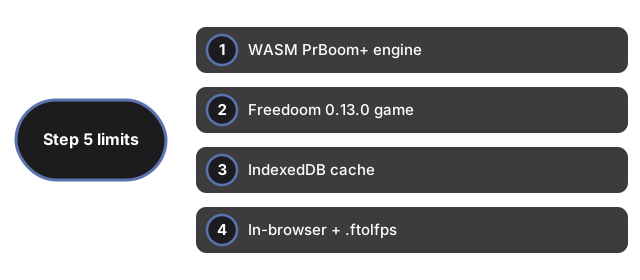
Stop or switching campaigns reloads the page (one campaign per load); saves are unaffected. No multiplayer, accounts, or server storage. Touch-only phones are not the target. Clearing this site's data deletes cache and saves - keep .ftolfps backups.
| Setting | Value | Notes |
|---|---|---|
| Engine | WASM (PrBoom+ family) | GPL-2.0; public CI build |
| Game | Freedoom 0.13.0 | Freely licensed; not a commercial demo |
| Cache | IndexedDB | Keyed by engine version |
| Saves | In-browser + .ftolfps | Export/Import portable |
| Input | Keyboard + mouse | Focus required on the screen |
See when to play, comparisons, and Retro Arcade Shooter.
Why trust these tools
- Ten-plus years of web tooling. The freetoolonline editorial team has shipped browser-based utilities since 2015. The goal has never changed: get you to a working output fast, without an install.
- No install, no sign-up. Open a tool and get a working output in seconds - nothing to download and no account to create. Tools that need heavy processing run it on our service, so even a low-powered machine gets the job done.
- Analytics stops at the page view. We measure which pages get visited, not what you type or upload inside a tool. There is nothing to sign in to and no profile is attached to your input.
- Open-source core components. The processing engines underneath (libheif, libde265, pdf-lib, terser, clean-css, ffmpeg.wasm, and others) are public and audit-able. We link to each one in its tool page's footer.
- Free, with or without ads. All tools are fully functional without sign-up. The Disable Ads button in the header is always available if you need a distraction-free run.