How to Play Night Swarm Survivor - Step by Step
The Night Swarm Survivor loads a single ~368 KB canvas survival run in your tab. Move with the keyboard; shots fire automatically at the nearest enemy.
Step 1 - start the run
Press Play on the page, then click Start on the title screen inside the iframe. The hero spawns in a scrolling field with slimes already wandering nearby.
Step 2 - move and let auto-fire work
Use WASD or the arrow keys to dodge. Your character continuously fires toward the closest enemy or the boss - you do not press a separate fire key.
Step 3 - collect gems and level up
Defeated enemies drop XP gems. Pick them up to fill the blue bar; each level grants more max health plus one rotating bonus: faster fire rate, extra damage, or another projectile per volley.
Step 4 - survive wave-based survival (bosses per stage) for the boss
A countdown at the top tracks the boss timer. At zero a stage bosses appears with a red health bar and radial shots. Reduce it to zero to win.
Step 5 - restart or mute
Press Start on the title screen, then move with WASD, arrows, touch joystick, or gamepad. Pause from the HUD; settings and scores save locally under ftol:nightswarmsurvivor:* keys.
At a glance
- Move: WASD or arrow keys
- Attack: automatic, nearest enemy
- Goal: survive to the boss, then defeat it
| Setting | Value | Notes |
|---|---|---|
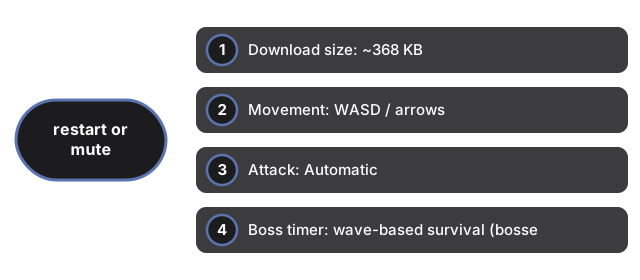
| Download size | ~368 KB | ES modules + CSS in same-origin iframe |
| Movement | WASD / arrows | Keyboard, touch joystick, gamepad |
| Attack | Automatic | Targets nearest enemy |
| Boss timer | wave-based survival (bosses per stage) | Shown at top of canvas |
| Server calls | 0 | Runs entirely client-side |
See when to play in the browser and how it compares with installed survivor games.
Why trust these tools
- Ten-plus years of web tooling. The freetoolonline editorial team has shipped browser-based utilities since 2015. The goal has never changed: get you to a working output fast, without an install.
- No install, no sign-up. Open a tool and get a working output in seconds - nothing to download and no account to create. Tools that need heavy processing run it on our service, so even a low-powered machine gets the job done.
- Analytics stops at the page view. We measure which pages get visited, not what you type or upload inside a tool. There is nothing to sign in to and no profile is attached to your input.
- Open-source core components. The processing engines underneath (libheif, libde265, pdf-lib, terser, clean-css, ffmpeg.wasm, and others) are public and audit-able. We link to each one in its tool page's footer.
- Free, with or without ads. All tools are fully functional without sign-up. The Disable Ads button in the header is always available if you need a distraction-free run.