
A timing arcade game: move a tablet with keyboard controls to keep a ball bouncing, build combos, and survive the two-minute timer.
Move the tablet and keep the ball bouncing for combo points. Press Play to load about ~1.2 MB.
Precision Bounce Loop
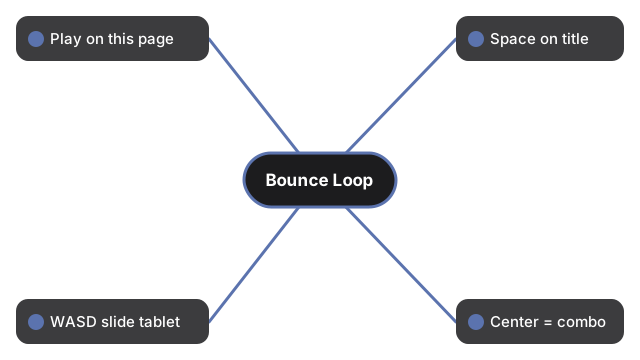
Press Play and Precision Bounce Loop, a Leafer canvas timing game, loads in the tab. Press Space on the title screen, then use WASD or the arrow keys to slide the tablet under the bouncing ball. Bounces that land near the tablet center build a higher combo, and a run is won by surviving until the two-minute countdown reaches zero.
| Step | Action |
|---|---|
| Launch | Play on this page to inject the iframe |
| Start | Press Space on the title screen inside the frame |
| Move | WASD or arrow keys slide the tablet |
| Combo | Center bounces earn higher combo tips |
| Timer | Survive until the two-minute countdown ends to win |
Keys that carry a whole run
Space does more than begin a run - it also resumes from the pause overlay and restarts after a fail, so a full session needs no mouse once the frame has focus. P or Escape pauses mid-run, and Enter steps back to the title menu from either the pause overlay or the settlement screen. Switching browser tabs pauses the game on its own, so a run never plays out unattended. Runs are session-only: Precision Bounce Loop keeps no saves, so a paused run ends when the tab closes.
Combo tips and the edge zones
The score panel holds the running total and flashes a combo tip whenever a bounce lands well, which is the fastest read on whether the last hit was centered. Forbidden zones sit at the screen edges and penalize a miss there, so chasing a fast ball out wide costs more than holding the tablet nearer the middle. A settlement screen closes every run and names the outcome - a win once the timer runs out, or a fail if the ball gets past the tablet.
Adapted from Horean0574/iBouncy (MIT). Vite-built bundle with bundled fonts and images, zero CDN after load.
Frequently Asked Questions
How do I start a run?
Press Space on the title screen inside the iframe after clicking Play on this page.
Which keys move the tablet?
Use arrow keys or W, A, S, and D inside the iframe.
How large is the download?
About ~1.2 MB across index.html, assets, fonts, and images.