How to Play Pixel Pipeline Reflex - Step by Step
The Pixel Pipeline Reflex loads a ~48 KB ES-module reflex game in your tab. Match Fetch, FIFO, Mix, and Light pipeline stages with keys 1-4, taps, or clicks before the scan beam times out.
Step 1 - start a frame
Press Play on the page, then click Start frame inside the game or press Enter/Space. Pick Chill, Arcade (default), or Meltdown before you begin - each changes frame target, glitch cap, beam speed, and total time.
Step 2 - read the next stage and beat the beam
Watch the Next stage label and the pixel queue. A scan beam sweeps across the canvas - press the key that matches the lit stage (1 Fetch, 2 FIFO, 3 Mix, 4 Light), tap its button, or click it before the beam expires.
Step 3 - stabilize frames without glitches
Win by stabilizing the target frame count: 10 on Chill, 12 on Arcade, 14 on Meltdown. Wrong inputs and beam timeouts count as glitches; exceed the cap (6/5/4 by difficulty) and the run ends.
Step 4 - chain combos and pick a seed
Correct matches in a row raise a combo multiplier on your score. The daily seed uses the Shanghai date key; load a custom seed via ?seed= in the URL or the in-page seed field. Copy link to share the same challenge.
Step 5 - sound, pause, and local bests
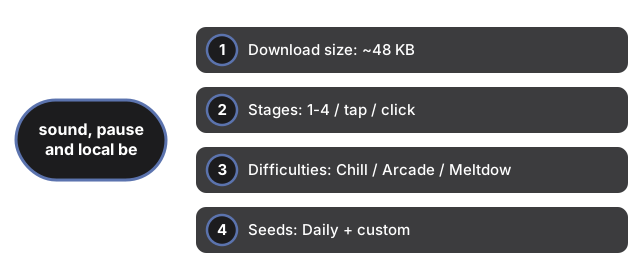
Sound is optional and off by default - toggle with the Sound button (stored under ftol:pixelpipelinereflex:sound-enabled). Press P to pause. Best score per seed and difficulty saves locally as ftol:pixelpipelinereflex:{seed}:{difficulty}.
| Setting | Value | Notes |
|---|---|---|
| Download size | ~48 KB | ES modules (game.js + app.js) in same-origin iframe |
| Stages | 1-4 / tap / click | Fetch, FIFO, Mix, Light |
| Difficulties | Chill / Arcade / Meltdown | 10/12/14 frames; 6/5/4 glitch cap |
| Seeds | Daily + custom | Shanghai date key or ?seed= URL param |
| High score | localStorage | Key: ftol:pixelpipelinereflex:* |
| Server calls | 0 | Runs entirely client-side |
See when to play in the browser and how it compares with other games.
Why trust these tools
- Ten-plus years of web tooling. The freetoolonline editorial team has shipped browser-based utilities since 2015. The goal has never changed: get you to a working output fast, without an install.
- No install, no sign-up. Open a tool and get a working output in seconds - nothing to download and no account to create. Tools that need heavy processing run it on our service, so even a low-powered machine gets the job done.
- Analytics stops at the page view. We measure which pages get visited, not what you type or upload inside a tool. There is nothing to sign in to and no profile is attached to your input.
- Open-source core components. The processing engines underneath (libheif, libde265, pdf-lib, terser, clean-css, ffmpeg.wasm, and others) are public and audit-able. We link to each one in its tool page's footer.
- Free, with or without ads. All tools are fully functional without sign-up. The Disable Ads button in the header is always available if you need a distraction-free run.