Snake Classic vs Installing a Desktop Game
For a quick round of snake, Snake Classic gets you playing in seconds with nothing installed, while a desktop game asks for a download first. Here is an honest look at what each side gives you, numbers included.
The numbers side by side
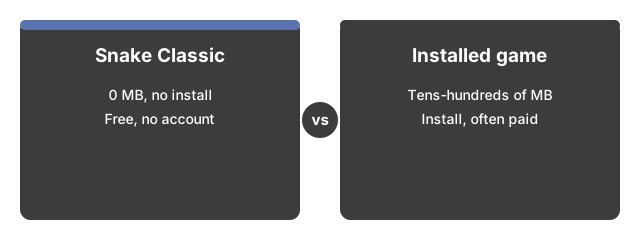
The numbers below put Snake Classic side by side with its alternatives at a glance.

Snake Classic cuts the usual setup to zero: nothing to install, free, and ready to play in seconds. A desktop game asks for more upfront.
| Aspect | Snake Classic in the browser | Typical installed desktop game |
|---|---|---|
| Install size | 0 MB - nothing to install | Tens to hundreds of MB |
| Time to first play | Seconds - load the page, press a key | Minutes - download, install, launch |
| Price | 0 - free, no account | Often paid or ad-supported |
| Plays offline | No - the page must load once from the site | Usually yes, after install |
The gap sits mostly at the start. The browser game is a single page of JavaScript drawing to a canvas on your device, so there is no download to manage, no installer to run, and nothing to uninstall later. Your first arrow key or swipe starts the run instantly.
Where the browser version wins
Nothing about a session is uploaded - the whole game runs in the browser tab, which makes it usable on locked-down office machines and shared computers alike. Keyboard, swipe, and an on-screen pad on touch devices are all supported, so one page covers desktop and phone. One click on the Fullscreen button plays it big with the score line still visible, and Escape returns to the page. Your best score is saved automatically in this browser and shows next to the live score, so a record set at lunch is still there tomorrow on the same device.
Where an installed game still wins
An installed game usually earns its download somewhere. It typically plays fully offline, while this page must load once from the site before the game runs locally. Installed titles often ship sound, music, difficulty options, and multiplayer; Snake Classic has none of those - no sound effects, no settings beyond the built-in speed ramp that quickens the snake every 5 foods, and no leaderboards. Saves are scoped differently too: here the best score lives only in this browser's localStorage, so clearing site data removes it and it does not travel between devices.
The practical rule
The practical rule for Snake Classic: reach for the browser version when the point is playing right now - a short break, a computer you cannot install on, a phone with no storage to spare. Pick an installed game when you want sound, offline play, or progress that lives outside a single browser.
For a closer look at when it works best, see Snake Classic: when it fits.
Why trust these tools
- Ten-plus years of web tooling. The freetoolonline editorial team has shipped browser-based utilities since 2015. The goal has never changed: get you to a working output fast, without an install.
- No install, no sign-up. Open a tool and get a working output in seconds - nothing to download and no account to create. Tools that need heavy processing run it on our service, so even a low-powered machine gets the job done.
- Analytics stops at the page view. We measure which pages get visited, not what you type or upload inside a tool. There is nothing to sign in to and no profile is attached to your input.
- Open-source core components. The processing engines underneath (libheif, libde265, pdf-lib, terser, clean-css, ffmpeg.wasm, and others) are public and audit-able. We link to each one in its tool page's footer.
- Free, with or without ads. All tools are fully functional without sign-up. The Disable Ads button in the header is always available if you need a distraction-free run.