Voxel World Builder vs Installing a Desktop Game
freetoolonline.com editorial team
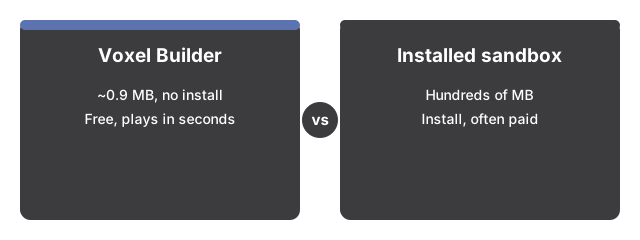
Voxel World Builder costs 0 MB of disk space and 0 dollars, with a few seconds before the first block; an installed desktop sandbox game needs a download and often money, repaid with survival modes, mods, and multiplayer. The browser side brings its own infinite terrain, biomes, and caves.
The numbers side by side
| Aspect | Voxel World Builder | Installed desktop sandbox game |
|---|---|---|
| Install size | 0 MB installed (one-time ~0.9 MB engine download, then browser-cached) | Typically hundreds of MB |
| Time to first play | Seconds - open the page and press Play | Minutes of downloading and installing |
| Price | 0 - free | Often a paid title |
| Account needed | No | Frequently yes |
| Terrain | Infinite, procedurally generated, 6 biomes, caves and ores | Infinite or near-infinite, more variety |
| Block types | 35, creative picker | Hundreds, plus items and crafting |
The installed-side figures are typical ranges rather than measurements of any specific title; the point is the order of magnitude, not the exact number.

Where the browser wins
The browser wins on every setup step: open the page, press Play, and Voxel World Builder is ready, with nothing to install, no account to create, and no launcher to update. The engine downloads once from this site (about 0.9 MB) and is cached afterward; textures and sounds are generated in the tab rather than downloaded, and the game makes no other network calls - which also makes it usable on locked-down or borrowed machines where installing anything is off the table. The core sandbox loop is genuinely there now: infinite terrain with six biomes and cave systems, 35 block types, per-block breaking with hardness, flying, falling sand, TNT, and a 20-minute day-night cycle.
Where an installed game wins
An installed game wins on depth beyond building: survival mechanics (mobs, health, crafting, item drops), multiplayer servers, mods, and far more block and item variety. Voxel World Builder is deliberately a creative sandbox - blocks are infinite, there is no combat or crafting, no shared worlds, and it needs a keyboard and mouse, so phones and tablets are out. If the session is about surviving the night with friends rather than building something solo, install the desktop game.
Saves and portability
An installed game saves to your disk or an online profile. Here the world autosaves to this browser only; clearing site data deletes it, and there is no account to sync through and no world export. The terrain seed is the portable piece - the same seed rebuilds the same landscape on any device, though the blocks you placed stay in the browser that placed them. For a long-running build you plan to keep for months, this difference matters more than install size does.
For a decision by session type, see when to use Voxel World Builder.
Why trust these tools
- Ten-plus years of web tooling. The freetoolonline editorial team has shipped browser-based utilities since 2015. The goal has never changed: get you to a working output fast, without an install.
- No install, no sign-up. Open a tool and get a working output in seconds - nothing to download and no account to create. Tools that need heavy processing run it on our service, so even a low-powered machine gets the job done.
- Analytics stops at the page view. We measure which pages get visited, not what you type or upload inside a tool. There is nothing to sign in to and no profile is attached to your input.
- Open-source core components. The processing engines underneath (libheif, libde265, pdf-lib, terser, clean-css, ffmpeg.wasm, and others) are public and audit-able. We link to each one in its tool page's footer.
- Free, with or without ads. All tools are fully functional without sign-up. The Disable Ads button in the header is always available if you need a distraction-free run.