How to Play Neon Tower Rush - Step by Step
The Neon Tower Rush page loads a ~1.2 MB vanilla Canvas TD in an iframe. Draft up to seven towers, defend one of six maps across 30 waves, and chase a high score before the base leaks out.
Step 1 - launch and draft
Click Play on the game page. Inside the iframe, pick 1-7 towers from the pre-match pool, then press Select Map. The UI is Chinese but icons and tower art are self-explanatory; hover tower cards for stats.
Step 2 - map and first builds
Choose one of six maps (each changes enemy HP/speed). Spend starting gold by clicking grass tiles to place drafted towers. Open a placed tower to upgrade along its 4-9 level track toward an EX form with a signature skill.
Step 3 - waves and economy
Press Start Next Wave when ready; starting early adds speed score. Kills grant gold for more towers and upgrades. Summoners appear on waves 10/15/20/25; the wave-30 boss ends the run if defeated before your base health reaches zero.
Step 4 - HUD controls
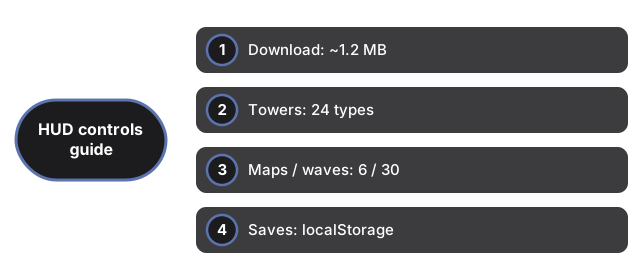
Pause and quick-restart sit in the settings dock. Abandon ends the current run. Open the in-game Wiki button for tower/enemy reference. Mute and volume sliders persist via ftol:neontowerrush:audio-settings. No online leaderboard on this host.
| Setting | Value | Notes |
|---|---|---|
| Download | ~1.2 MB | Multi-file vanilla JS in iframe |
| Towers | 24 types | Draft 1-7 per match |
| Maps / waves | 6 / 30 | Boss on wave 30 |
| Saves | localStorage | ftol:neontowerrush:* keys |
| Server calls | 0 | Leaderboard stripped |
See when to play and vs other TD games. Also Medieval Wall Defense and Garden Defense.
Why trust these tools
- Ten-plus years of web tooling. The freetoolonline editorial team has shipped browser-based utilities since 2015. The goal has never changed: get you to a working output fast, without an install.
- No install, no sign-up. Open a tool and get a working output in seconds - nothing to download and no account to create. Tools that need heavy processing run it on our service, so even a low-powered machine gets the job done.
- Analytics stops at the page view. We measure which pages get visited, not what you type or upload inside a tool. There is nothing to sign in to and no profile is attached to your input.
- Open-source core components. The processing engines underneath (libheif, libde265, pdf-lib, terser, clean-css, ffmpeg.wasm, and others) are public and audit-able. We link to each one in its tool page's footer.
- Free, with or without ads. All tools are fully functional without sign-up. The Disable Ads button in the header is always available if you need a distraction-free run.