City Time Machine 3D vs Installing a Desktop City Game
freetoolonline.com editorial team
For a trip through one city block from 1945 to 2055, City Time Machine 3D runs in the browser with nothing installed, while a desktop 3D game asks for a download first. Here is an honest look, numbers included.
The numbers side by side
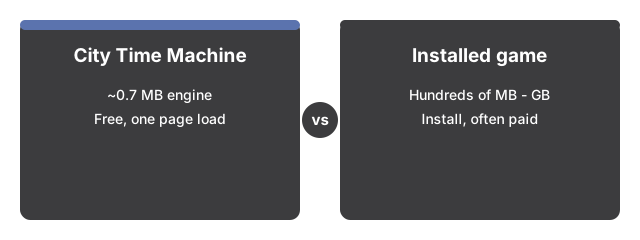
The numbers below put City Time Machine 3D side by side with its alternatives at a glance.

City Time Machine 3D cuts setup to zero: nothing to install, free, and one page load before the slider. An installed 3D city game asks for more upfront.
| Aspect | City Time Machine 3D in the browser | Typical installed 3D city game |
|---|---|---|
| Install size | 0 MB - just a 0.7 MB engine, cached after first load | Hundreds of MB to several GB |
| Time to first scene | One page load - then drag the slider | Minutes - download, install, launch |
| Price | 0 - free, no account | Often paid |
| Eras on screen | 6 - 1945 to 2055, one slider | Usually one, built by you |
The gap sits at the start. The block is procedural geometry rendered on your device with WebGL; after the engine is cached, no model, texture, or audio files are fetched. Your first slider drag starts the change.
Where the browser scene wins
The browser scene wins for City Time Machine 3D when moving the era slider is the whole show: buildings, vehicles, signs, street lights, and people transform - not a cut, but a staggered change where lots shrink and regrow over about two seconds while sky, light, and fog crossfade. Drag to orbit, scroll or pinch to zoom to street level, and click any era label to jump straight there. Each lot keeps its footprint, so the 1945 corner shop grows into the same corner's 1985 office and 2055 tower, and your last era is remembered in this browser.
Where an installed game still wins
An installed game usually earns its download somewhere. It typically plays fully offline, while the scene must load once from the site. It is usually about building; City Time Machine 3D is not a city-building game - no economy, no build or demolish tools, no multiplayer, no server saves. The optional ambience is synthesized in your browser and stays off until you enable it, while installed titles often ship full soundtracks. The block is a stylized take on generic eras with invented shop names - not any real city, and 2055 is openly speculative fiction.
The practical rule
The practical rule for City Time Machine 3D: reach for the browser scene when the point is watching one block change right now - a short break, a shared computer, curiosity about how a painted-sign shop becomes a holographic tower. Pick an installed game to build the city yourself, play offline, or keep saves outside one browser.
For a closer look at when it works best, see City Time Machine 3D: when it fits.
To walk through the slider and camera controls one at a time, see City Time Machine 3D step by step.
Why trust these tools
- Ten-plus years of web tooling. The freetoolonline editorial team has shipped browser-based utilities since 2015. The goal has never changed: get you to a working output fast, without an install.
- No install, no sign-up. Open a tool and get a working output in seconds - nothing to download and no account to create. Tools that need heavy processing run it on our service, so even a low-powered machine gets the job done.
- Analytics stops at the page view. We measure which pages get visited, not what you type or upload inside a tool. There is nothing to sign in to and no profile is attached to your input.
- Open-source core components. The processing engines underneath (libheif, libde265, pdf-lib, terser, clean-css, ffmpeg.wasm, and others) are public and audit-able. We link to each one in its tool page's footer.
- Free, with or without ads. All tools are fully functional without sign-up. The Disable Ads button in the header is always available if you need a distraction-free run.