Initializing, please wait a moment
How to Play Quantum Shift - Step by Step
The Quantum Shift page loads a ~68 KB particle puzzle in an iframe.
Step 1 - press Play
Press Play to inject the iframe (~68 KB). The canvas shows a level picker with numbered buttons.
Step 2 - pick a level
Click a level button. Obstacles appear as gray blocks; particles spawn with red or purple outline targets.
Step 3 - move with arrow keys
Your blue block moves with the arrow keys. Slide around obstacles to reach each particle.
Step 4 - touch particles to match outlines
Overlap a particle to toggle red/purple. Match every outline to finish the level and advance.
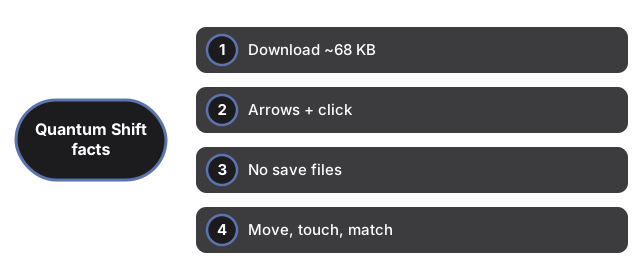
| Setting | Value | Notes |
|---|---|---|
| Download | ~68 KB | HTML + JS + inlined levels |
| Input | arrow keys + click | move + level pick |
| Saves | none | session-only |
| Core loop | move -> touch -> match | multi-level puzzle |
See when to play, comparisons, and Thirteen Hours.
Why trust these tools
- Ten-plus years of web tooling. The freetoolonline editorial team has shipped browser-based utilities since 2015. The goal has never changed: get you to a working output fast, without an install.
- No install, no sign-up. Open a tool and get a working output in seconds - nothing to download and no account to create. Tools that need heavy processing run it on our service, so even a low-powered machine gets the job done.
- Analytics stops at the page view. We measure which pages get visited, not what you type or upload inside a tool. There is nothing to sign in to and no profile is attached to your input.
- Open-source core components. The processing engines underneath (libheif, libde265, pdf-lib, terser, clean-css, ffmpeg.wasm, and others) are public and audit-able. We link to each one in its tool page's footer.
- Free, with or without ads. All tools are fully functional without sign-up. The Disable Ads button in the header is always available if you need a distraction-free run.