Garden Defense vs Medieval Wall Defense
This site has two defense-genre games, and they are built for different sessions. Garden Defense is a light, single-run lane defense; Medieval Wall Defense is a heavier incremental wall defense with prestige progression. Here is an honest look at what each one gives you, numbers included.
The numbers side by side
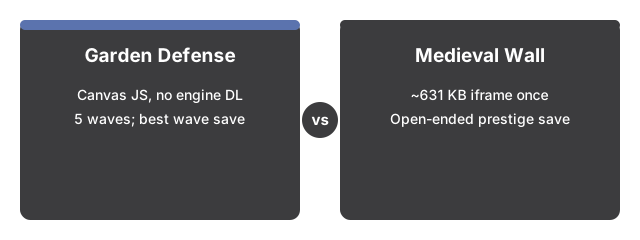
The numbers below put Garden Defense side by side with its alternatives at a glance.
| Game | Payload | Run length | Persistence |
|---|---|---|---|
| Garden Defense | Canvas drawn by the page's own JavaScript - no separate engine to download | One sitting, 5 waves, win or lose | Best wave number only (localStorage) |
| Medieval Wall Defense | ~631 KB (once, then cached, in a same-origin iframe) | Open-ended, with a prestige reset-and-carry-bonuses loop | Full save - gold, research, prestige, settings (localStorage) |
Garden Defense loads instantly since the whole game is drawn by the page's own JavaScript, with nothing extra to fetch. Medieval Wall Defense downloads about 631 KB the first time (cached after that) for a self-contained iframe with its own canvas engine and Web Audio sound effects.
Where Garden Defense wins
A Garden Defense run is over in one sitting - three defender types, five waves, a clear win or lose, and your best wave saved so the next attempt has a target. There is nothing to learn beyond the energy-versus-offense tradeoff, which makes it the faster pick when you have five minutes and want a complete game, not an open-ended one.
Where Medieval Wall Defense wins
Medieval Wall Defense is built to be played across many runs: gold earned in a run buys heroes and skills, Research Points and Crowns bank between runs for prestige bonuses, and four numbered skills plus a research panel give it far more depth per session than Garden Defense's three cards. It also ships procedural sound effects and mobile-friendly touch controls, where Garden Defense has no audio at all.
The practical rule
As a practical rule, reach for Garden Defense when you want one complete, five-wave run with nothing to learn first. Reach for Medieval Wall Defense when you want a longer session with progression that carries into your next run.
For a closer look at when Garden Defense itself fits best, see When Garden Defense fits.
Why trust these tools
- Ten-plus years of web tooling. The freetoolonline editorial team has shipped browser-based utilities since 2015. The goal has never changed: get you to a working output fast, without an install.
- No install, no sign-up. Open a tool and get a working output in seconds - nothing to download and no account to create. Tools that need heavy processing run it on our service, so even a low-powered machine gets the job done.
- Analytics stops at the page view. We measure which pages get visited, not what you type or upload inside a tool. There is nothing to sign in to and no profile is attached to your input.
- Open-source core components. The processing engines underneath (libheif, libde265, pdf-lib, terser, clean-css, ffmpeg.wasm, and others) are public and audit-able. We link to each one in its tool page's footer.
- Free, with or without ads. All tools are fully functional without sign-up. The Disable Ads button in the header is always available if you need a distraction-free run.