How to Play Snake Classic - Step by Step
Snake Classic is the grid snake game played right in the browser: steer the snake to the food, grow one segment per bite, and avoid the walls and your own tail. This guide covers the controls, the speed ramp, pausing, fullscreen, and how your best score is kept.
FreetoolOnline Editorial Team| Mechanic | Value |
|---|---|
| Grid size | 24x24 cells |
| Speed increase | Every 5 food eaten |
| Move interval | 140ms at start, down to a 70ms floor |
| Turn queue | Up to 3 queued turns |
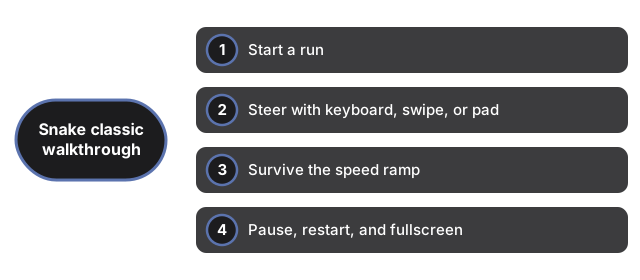
Start a run
Open the page and the canvas draws a ready screen straight away. Press an arrow key, or swipe on the canvas on a phone, and the run starts instantly - there is nothing to install and no account to create. The snake moves on a 24x24 grid, and each piece of food it eats adds one segment to its tail.
Steer with keyboard, swipe, or pad
On a keyboard, use the arrow keys or WASD. On phones and tablets, swipe across the canvas or use the on-screen pad that appears on touch devices. Fast fingers are safe here: the game queues up to three turns at a time and filters out instant reverses, so a quick double-tap does not make the snake eat itself.
Survive the speed ramp
The pace rises as you score. Every 5 foods the snake speeds up, with the move interval dropping from 140ms toward a 70ms floor, so late runs get genuinely tense. A run ends when the head hits a wall or the tail, and a clear game-over overlay appears on the canvas.
Pause, restart, and fullscreen
Press P to pause; a paused overlay shows on the canvas until you resume. After a game over, Space starts a fresh run. One click on the Fullscreen button plays it big while the score line and buttons stay visible, and Escape returns to the page.
Keep your best score
Your best score is saved automatically in this browser's localStorage and shows next to the live score, updating the moment a run beats it. It stays on this device only - there are no accounts or leaderboards - and clearing site data removes it. The game is also silent: no sound effects or music.
Why trust these tools
- Ten-plus years of web tooling. The freetoolonline editorial team has shipped browser-based utilities since 2015. The goal has never changed: get you to a working output fast, without an install.
- No install, no sign-up. Open a tool and get a working output in seconds - nothing to download and no account to create. Tools that need heavy processing run it on our service, so even a low-powered machine gets the job done.
- Analytics stops at the page view. We measure which pages get visited, not what you type or upload inside a tool. There is nothing to sign in to and no profile is attached to your input.
- Open-source core components. The processing engines underneath (libheif, libde265, pdf-lib, terser, clean-css, ffmpeg.wasm, and others) are public and audit-able. We link to each one in its tool page's footer.
- Free, with or without ads. All tools are fully functional without sign-up. The Disable Ads button in the header is always available if you need a distraction-free run.