2048 in the Browser vs Installing a 2048 App
freetoolonline.com editorial team
For a quick round of tile-merging, the 2048 Game on this site plays instantly in the tab you already have open, while an app asks for a download first. The original 2048 was released as MIT-licensed open source, so versions exist everywhere; this one is an independent implementation of that mechanic.
The numbers side by side
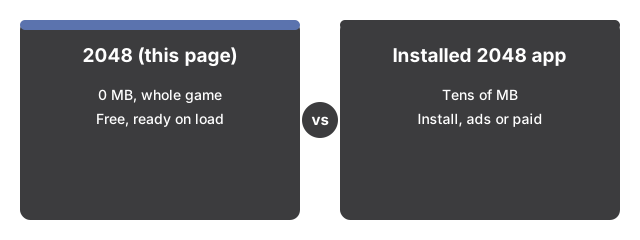
The numbers below put the 2048 game side by side with its alternatives at a glance.

| Aspect | 2048 on this page | Typical installed 2048 app |
|---|---|---|
| Install size | 0 MB - the whole game is this page | Tens of MB |
| Time to first move | Seconds - the board is ready on load | Minutes - store, download, install |
| Price and account | Free, no account | Often ad-supported or paid |
| Where your score lives | This browser's local storage | The app or its account |
Where the browser version wins
Anything with a browser can play it - a work laptop, a borrowed tablet, a phone with a full drive. Keyboard, swipe, and on-screen pad all work on the same page, the classic rules are all here (one merge per tile per move, a new 2 or 4 after every changed move, play past 2048 for score), and the page is silent by design. Your best score persists in this browser with no sign-in.
Where an installed app still wins
An installed app usually earns its download somewhere: many add an undo button, other board sizes, themes, and score sync across devices. This page keeps the classic 4x4 with no undo, and your record score lives only in this browser - clearing site data removes it, and it does not follow you to another device.
The practical rule
As a practical rule, play here when you want a round NOW with nothing installed; install an app if you want undo, themes, or a score that travels between your devices.
For the full rules, see 2048 step by step. For when the browser board fits your situation, see when to play 2048 in the browser.
Why trust these tools
- Ten-plus years of web tooling. The freetoolonline editorial team has shipped browser-based utilities since 2015. The goal has never changed: get you to a working output fast, without an install.
- No install, no sign-up. Open a tool and get a working output in seconds - nothing to download and no account to create. Tools that need heavy processing run it on our service, so even a low-powered machine gets the job done.
- Analytics stops at the page view. We measure which pages get visited, not what you type or upload inside a tool. There is nothing to sign in to and no profile is attached to your input.
- Open-source core components. The processing engines underneath (libheif, libde265, pdf-lib, terser, clean-css, ffmpeg.wasm, and others) are public and audit-able. We link to each one in its tool page's footer.
- Free, with or without ads. All tools are fully functional without sign-up. The Disable Ads button in the header is always available if you need a distraction-free run.