How to Play Machine Guard Corps - Step by Step
The Machine Guard Corps page loads a ~130 KB lane-defense auto-battler in an iframe.
Step 1 - press Play and Start Defense
Press Play to inject the iframe (~130 KB). Read the tutorial overlay, then press Start Defense.
Step 2 - summon your first units
Press 1 for Robot Infantry or 2 for Mech Dog (or click their buttons) as Energy allows. These cheap units hold the lane while your economy grows.
Step 3 - use skills when the lane gets crowded
Press Q for a Missile Strike when enemies stack up, W for an EMP Pulse to slow a push, or E for a Repair Swarm after your frontline takes damage.
Step 4 - spend Scrap on upgrades and evolutions
Press Z/X/C/V to upgrade your Command Tower, Base Turret, Coolant Banks, or Combat Firmware. Once you can afford it, buy a permanent evolution for a unit line with Cmd/Ctrl plus a number key.
Step 5 - survive the boss rounds
The hive sends progressively stronger named bosses as the fight goes on. Boss kills grant large Energy and Scrap rewards, but the hive only falls when its core HP hits zero. Hold on through double-boss rounds if the match runs long.
| Setting | Value | Notes |
|---|---|---|
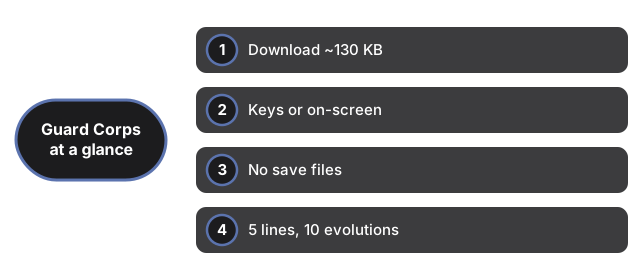
| Download | ~130 KB | HTML + JS + CSS, no images |
| Input | keyboard or on-screen buttons | fully playable with touch alone |
| Saves | none | session-only |
| Units | 5 lines, 10 evolutions | 2 evolution paths per unit line |
See when to play, comparisons, and Black Cat on a Hot Tin Roof.
Why trust these tools
- Ten-plus years of web tooling. The freetoolonline editorial team has shipped browser-based utilities since 2015. The goal has never changed: get you to a working output fast, without an install.
- No install, no sign-up. Open a tool and get a working output in seconds - nothing to download and no account to create. Tools that need heavy processing run it on our service, so even a low-powered machine gets the job done.
- Analytics stops at the page view. We measure which pages get visited, not what you type or upload inside a tool. There is nothing to sign in to and no profile is attached to your input.
- Open-source core components. The processing engines underneath (libheif, libde265, pdf-lib, terser, clean-css, ffmpeg.wasm, and others) are public and audit-able. We link to each one in its tool page's footer.
- Free, with or without ads. All tools are fully functional without sign-up. The Disable Ads button in the header is always available if you need a distraction-free run.