Cara Menjelajahi Saturn Rings 3D Explorer
The Saturn Rings 3D Explorer starts as soon as the page loads: drag to orbit Saturn and its rings, scroll or pinch to zoom, and press C / B / A / Cassini to highlight each band. Everything renders on your own device - no install, no account.
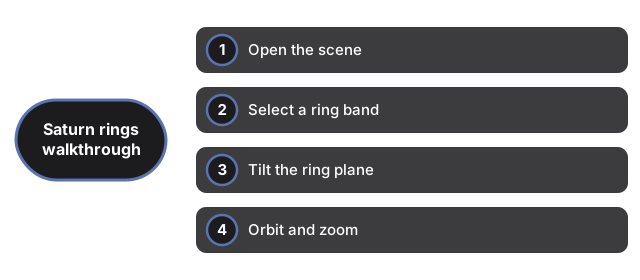
Open the scene
Load the page and Saturn appears at the center with C, B, and A ring bands at published radii. The 3D engine downloads once and is cached. If WebGL is unavailable, a plain notice appears instead of a broken canvas, and the facts panel still reads normally.
Select a ring band
Press C, B, A, or Cassini to highlight that band and update the facts panel. You can also click a ring mesh directly in the 3D view. The panel lists Cassini Division ~4,700 km at 117,580-122,170 km, A ring outer ~136,775 km, thickness ~10 m, and >95% water ice on every selection.
Tilt the ring plane
Move the tilt slider from 10 to 50 degrees (default 26). Lower values give a more face-on view; higher values swing edge-on so you can see how thin the rings are compared to their width. The panel note reminds you that vertical thickness is exaggerated on screen.
Orbit and zoom
Drag to swing the camera around Saturn and see the Cassini Division from different angles. Scroll or pinch to move closer to a ring band or pull back to see the whole main ring system.
Read the facts panel
The panel lists Cassini Division ~4,700 km (117,580-122,170 km), A ring outer edge ~136,775 km, typical thickness ~10 m, and composition >95% water ice - NASA and PDS published values. A note below states that vertical thickness is exaggerated millions of times; the km radii are real.
Why trust these tools
- Ten-plus years of web tooling. The freetoolonline editorial team has shipped browser-based utilities since 2015. The goal has never changed: get you to a working output fast, without an install.
- No install, no sign-up. Open a tool and get a working output in seconds - nothing to download and no account to create. Tools that need heavy processing run it on our service, so even a low-powered machine gets the job done.
- Analytics stops at the page view. We measure which pages get visited, not what you type or upload inside a tool. There is nothing to sign in to and no profile is attached to your input.
- Open-source core components. The processing engines underneath (libheif, libde265, pdf-lib, terser, clean-css, ffmpeg.wasm, and others) are public and audit-able. We link to each one in its tool page's footer.
- Free, with or without ads. All tools are fully functional without sign-up. The Disable Ads button in the header is always available if you need a distraction-free run.