Cara Mengompres Gambar ke 50KB Online (Gratis)
Mencapai gambar 50 KB online adalah kompromi kualitas yang dikerjakan dalam beberapa langkah, bukan satu tombol. Simpan foto sebagai JPG, letakkan ke kompresor berbasis browser, dan turunkan kualitas sampai hasil pratinjau muat di bawah batas Anda. Salinan terkompresi muncul di samping aslinya, jadi Anda memastikan kompromi sebelum mengunduh.
freetoolonline.com Editorial Team| Properti | Nilai |
|---|---|
| Format | Online, tanpa instalasi, tanpa pendaftaran |
| Biaya | Gratis |
| Alat yang dipakai | https://freetoolonline.com/image-tools/compress-image.html |
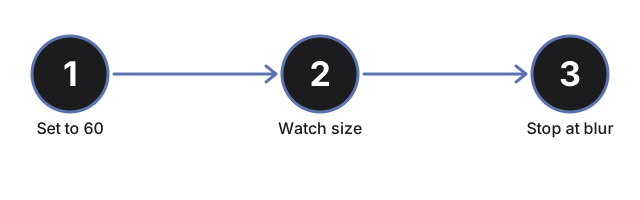
Tiga hal menentukan apakah Anda lolos di bawah 50 KB. Format lebih dulu: tangkapan layar PNG atau HEIC menyimpan detail yang dibuang JPG, jadi simpan sebagai JPG sebelum mengompres, karena PNG sering tidak menyusut jauh dengan sendirinya. Dimensi berikutnya: foto selebar 4000 piksel melepas sebagian besar bebannya jika Anda memperkecil skalanya dengan alat pengubah ukuran sebelum tahap kualitas jadi penting. Lalu kualitas: mulai dekat 60, baca ukuran file di pratinjau, dan turunkan penggeser langkah demi langkah sampai muat. Karena hasilnya tampil di samping sumbernya, Anda bisa berhenti satu langkah di atas titik saat pelunakan mulai terlihat.
Jika file masih melebihi batas setelah pengurangan kualitas, dua langkah dapat menguranginya lebih jauh: gunakan pengubah ukuran gambar online gratis untuk mengurangi dimensi piksel terlebih dahulu (foto 4000 piksel di 60% kualitas tetap lebih besar dari foto 1200 piksel di 90%), atau baca kapan mengompres vs mengonversi gambar untuk memeriksa apakah beralih ke WebP akan melewati batas tanpa langkah kualitas. Proses kompres ulang ini juga menghapus metadata EXIF (model kamera, koordinat GPS, stempel waktu pengambilan) secara default - baca metadata EXIF dan kompresi gambar: apa yang terhapus jika Anda perlu mempertahankannya.