Cara Menggunakan Eksplorer 3D Parker Solar Probe - Langkah demi Langkah
Buka Eksplorer 3D Parker Solar Probe, tekan Putar atau seret penggeser progres misi, lalu baca panel fakta untuk melihat tanggal, jarak, dan kecepatan sebenarnya yang dipublikasikan pada setiap lintasan dekat Venus dan setiap perihelion.
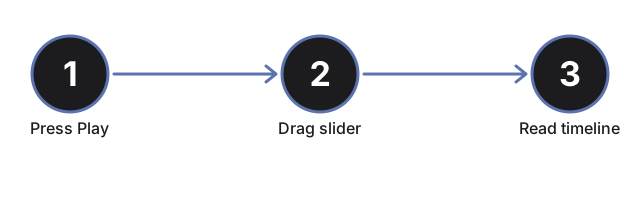
Tekan Putar atau seret penggeser progres
Tekan #t3dPspPlayBtn agar pesawat luar angkasa otomatis bergerak sepanjang garis waktu misi sebenarnya dari 2018 hingga 2024, atau seret #t3dPspProgress (0 sampai 100) untuk melompat langsung ke titik mana pun. Menyeret penggeser akan menghentikan mode putar otomatis.
Baca tabel tonggak sejarah
Panel fakta menampilkan semua 10 tonggak sejarah nyata misi - peluncuran, setiap lintasan dekat Venus dengan tanggalnya, dan setiap perihelion - dengan tonggak yang sedang aktif ditandai. Seret penggeser dan lihat baris yang ditandai berubah sesuai posisi pesawat luar angkasa.
Lihat orbit yang semakin menyempit di setiap lintasan dekat Venus
Setiap kali garis waktu melewati satu tonggak lintasan dekat Venus, jalur orbit pesawat luar angkasa terlihat semakin mendekati Matahari. Inilah desain lintasan V7GA yang sebenarnya: tujuh kali bantuan gravitasi dari Venus, masing-masing menurunkan jarak pendekatan terdekat tanpa bahan bakar tambahan.
Perhatikan catatan perisai panas
Seret melewati progres 88% untuk mencapai pendekatan terdekat rekor pada 24 Desember 2024. Sebuah catatan tentang perisai panas muncul di panel, menunjukkan peringkat suhu sebenarnya yang dipublikasikan untuk perisai tersebut, bersama dengan bagian dalam pesawat luar angkasa yang tetap berada di suhu mendekati suhu ruangan.
Klik Matahari, Venus, atau pesawat luar angkasa
Klik salah satu dari tiga objek dalam adegan untuk menyegarkan panel fakta dengan tonggak sejarah yang sedang aktif tanpa memindahkan penggeser.
Seret untuk memutar tampilan dan gunakan layar penuh
Seret untuk memutar kamera, gulir atau cubit untuk memperbesar, dan gunakan tombol Layar Penuh untuk memperluas seluruh tampilan agar Matahari, Venus, dan jalur orbit terlihat lebih jelas.
Selanjutnya: lihat kapan menggunakan eksplorer ini atau perbandingannya dengan Eksplorer 3D Cassini Grand Finale.
Why trust these tools
- Ten-plus years of web tooling. The freetoolonline editorial team has shipped browser-based utilities since 2015. The goal has never changed: get you to a working output fast, without an install.
- No install, no sign-up. Open a tool and get a working output in seconds - nothing to download and no account to create. Tools that need heavy processing run it on our service, so even a low-powered machine gets the job done.
- Analytics stops at the page view. We measure which pages get visited, not what you type or upload inside a tool. There is nothing to sign in to and no profile is attached to your input.
- Open-source core components. The processing engines underneath (libheif, libde265, pdf-lib, terser, clean-css, ffmpeg.wasm, and others) are public and audit-able. We link to each one in its tool page's footer.
- Free, with or without ads. All tools are fully functional without sign-up. The Disable Ads button in the header is always available if you need a distraction-free run.