Cara Menggunakan Penjelajah 3D Garpu Tala Hubble - Langkah demi Langkah
Buka Penjelajah 3D Garpu Tala Hubble, tekan tombol E0-E7 atau tombol a/b/c untuk mengubah bentuk spesimen, alihkan antara Normal dan Berpalang, dan coba tantangan galaksi nyata untuk menguji apa yang telah Anda pelajari.
Tekan tombol E0-E7
Tekan E0 hingga E7 untuk melihat spesimen memipih dari awan titik yang hampir bulat menjadi bentuk paling pipih yang benar-benar diamati astronom - panel fakta menunjukkan rumus elipsitas yang tepat di balik setiap tingkat.
Tekan S0, lalu a, b, atau c
Tekan S0 untuk melihat kelas transisi lentikular - tonjolan dan piringan tanpa lengan spiral sama sekali - lalu tekan a, b, atau c untuk menumbuhkan lengan spiral, sambil mengamati tonjolan pusat menyusut dan lengan melonggar dari terlilit rapat menjadi longgar.
Alihkan spiral Normal vs Berpalang
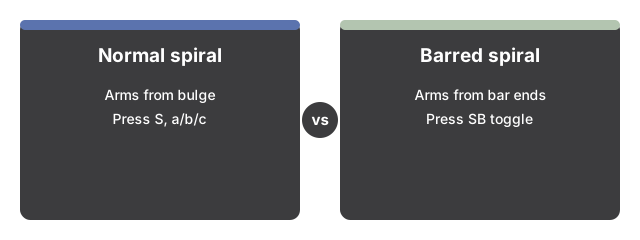
Tekan "Barred spiral (SB)" untuk menambahkan palang pusat dan melihat lengan spiral muncul dari ujung palang bukan dari tonjolan; tekan "Normal spiral (S)" untuk menghapusnya. Sakelar ini hanya berpengaruh saat Anda berada di S0 atau a/b/c.
Tekan "Walk the fork"
Tekan "Walk the fork" untuk melangkah otomatis melalui semua dua belas tingkat bolak-balik tanpa campur tangan, atau tekan lagi untuk menghentikan sementara dan mengambil kendali dengan tombol.
Tampilkan galaksi tak beraturan, di luar garpu
Tekan "Show irregulars (beyond the fork)" untuk menampilkan bentuk yang tidak rata di samping - kelas yang secara sengaja dikeluarkan Hubble dari diagramnya.
Coba tantangan galaksi nyata
Tekan "Real-galaxy challenge" untuk mendapatkan petunjuk tentang galaksi nyata bernama. Buat tebakan Anda sendiri dengan tombol E0-E7/S0/a-b-c dan sakelar Normal/Berpalang, lalu tekan "Reveal" untuk melihat klasifikasi aslinya dan fakta bersumber di baliknya.
Seret untuk mengorbit dan gunakan layar penuh
Seret untuk mengorbitkan kamera, gulir atau cubit untuk memperbesar, dan gunakan tombol Layar Penuh untuk memperluas seluruh bingkai demi tampilan yang lebih jelas.
Selanjutnya: lihat kapan menggunakan penjelajah ini atau bagaimana perbandingannya dengan Simulator 3D Galaksi.
Why trust these tools
- Ten-plus years of web tooling. The freetoolonline editorial team has shipped browser-based utilities since 2015. The goal has never changed: get you to a working output fast, without an install.
- No install, no sign-up. Open a tool and get a working output in seconds - nothing to download and no account to create. Tools that need heavy processing run it on our service, so even a low-powered machine gets the job done.
- Analytics stops at the page view. We measure which pages get visited, not what you type or upload inside a tool. There is nothing to sign in to and no profile is attached to your input.
- Open-source core components. The processing engines underneath (libheif, libde265, pdf-lib, terser, clean-css, ffmpeg.wasm, and others) are public and audit-able. We link to each one in its tool page's footer.
- Free, with or without ads. All tools are fully functional without sign-up. The Disable Ads button in the header is always available if you need a distraction-free run.