Cara Menggunakan Penjelajah 3D Siklus Cuaca Metana Titan - Langkah demi Langkah
Buka Penjelajah 3D Siklus Cuaca Metana Titan, seret penggeser musim atau tekan Putar otomatis, lalu lihat pita awan berpindah dan hujan turun saat Titan melewati satu tahun yang dipadatkan.
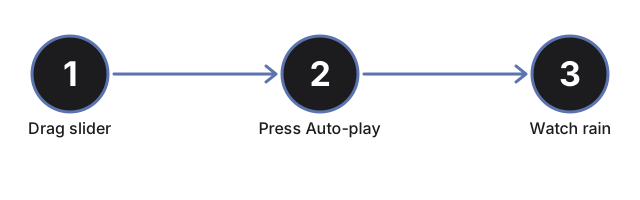
Seret penggeser musim
Seret penggeser musim dari 0 ke 100 untuk melewati satu tahun Titan yang dipadatkan. Menyeret akan menghentikan Putar otomatis sehingga Anda mengontrol kecepatannya secara langsung.
Tekan Putar otomatis
Tekan Putar otomatis agar musim berjalan sendiri dan berulang terus-menerus, sehingga Anda bisa menonton satu siklus penuh tanpa menyentuh penggeser.
Lihat pita awan berpindah
Lihat cincin gumpalan awan berpindah lintang saat musim berubah, mencerminkan bagaimana Cassini mengamati aktivitas awan Titan bergeser antar belahan seiring musim bulan ini.
Lihat hujan turun mendekati puncak badai
Perhatikan dua puncak badai ringan per tahun yang dipadatkan, ketika partikel hujan muncul di dekat pita awan dan turun ke permukaan sebelum menghilang - mewakili penguapan yang memulai ulang siklus.
Baca panel fakta
Baca panel fakta untuk mengetahui kondisi siklus saat ini (kering, hujan ringan, atau hujan aktif), beserta angka terbitan tentang atmosfer, tekanan, suhu, panjang tahun Titan, dan Kraken Mare.
Putar orbit dan perbesar
Seret pada pemandangan untuk memutar kamera, dan gulir atau cubit untuk memperbesar pita awan atau bercak laut kutub.
Selanjutnya: lihat kapan menggunakan penjelajah ini atau bagaimana perbandingannya dengan penjelajah Danau Metana Titan.
Why trust these tools
- Ten-plus years of web tooling. The freetoolonline editorial team has shipped browser-based utilities since 2015. The goal has never changed: get you to a working output fast, without an install.
- No install, no sign-up. Open a tool and get a working output in seconds - nothing to download and no account to create. Tools that need heavy processing run it on our service, so even a low-powered machine gets the job done.
- Analytics stops at the page view. We measure which pages get visited, not what you type or upload inside a tool. There is nothing to sign in to and no profile is attached to your input.
- Open-source core components. The processing engines underneath (libheif, libde265, pdf-lib, terser, clean-css, ffmpeg.wasm, and others) are public and audit-able. We link to each one in its tool page's footer.
- Free, with or without ads. All tools are fully functional without sign-up. The Disable Ads button in the header is always available if you need a distraction-free run.