Linux di Browser vs Mesin Virtual vs USB Langsung
Ada tiga cara umum untuk mencoba Linux tanpa mengganti sistem operasi Anda: mesin berbasis browser seperti Linux Online, aplikasi mesin virtual desktop, dan USB langsung. Ketiganya paling berbeda dalam upaya setup, kecepatan, dan di mana file Anda berada - halaman ini menempatkan angka-angka berdampingan.
freetoolonline.com Editorial TeamPerbandingan
Perbandingan untuk menjalankan Linux di browser versus VM lokal atau cloud shell adalah gesekan setup, isolasi, dan apakah Anda boleh menginstal apa pun di mesin.
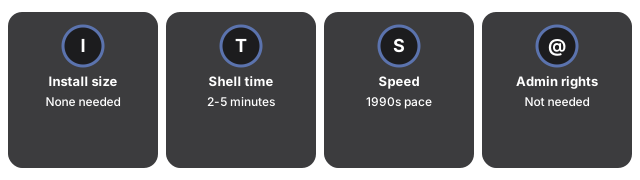
| Aspek | Linux di Browser (alat ini) | Mesin virtual desktop | USB langsung |
|---|---|---|---|
| Instalasi diperlukan | Tidak ada | Aplikasi + image OS (beberapa GB) | Aplikasi penulis USB + USB |
| Waktu hingga shell pertama | 2-5 menit (unduhan ~100 MB sekali) | 30-60 menit setup pertama | 15-30 menit ditambah restart |
| Kecepatan | Kecepatan PC akhir 1990-an (diemulasi) | Hampir native | Native |
| Hak admin diperlukan | Tidak | Biasanya ya | Ya (menu boot) |
| Jaringan di dalam Linux | Tidak ada, by design | Ya | Ya |
| Di mana pekerjaan Anda berada | Browser ini + file sesi yang dapat diekspor | Image disk di komputer itu | USB |
Cara memilih
Pilih mesin browser untuk pekerjaan cepat, aman, tanpa instalasi: mempraktikkan perintah, mencoba skrip berisiko, mengajar, atau komputer terkunci mana pun di mana menginstal perangkat lunak bukan pilihan - dan untuk memindahkan pekerjaan antar komputer, karena sesi diekspor sebagai satu file yang dapat Anda impor di tempat lain untuk melanjutkan dengan tepat. Pilih mesin virtual desktop saat membutuhkan kecepatan, perangkat lunak 64-bit, atau jaringan; pilih USB langsung saat ingin menguji Linux di hardware asli. Lebih lanjut tentang penggunaan di kapan menjalankan Linux di browser.
Why trust these tools
- Ten-plus years of web tooling. The freetoolonline editorial team has shipped browser-based utilities since 2015. The goal has never changed: get you to a working output fast, without an install.
- No install, no sign-up. Open a tool and get a working output in seconds - nothing to download and no account to create. Tools that need heavy processing run it on our service, so even a low-powered machine gets the job done.
- Analytics stops at the page view. We measure which pages get visited, not what you type or upload inside a tool. There is nothing to sign in to and no profile is attached to your input.
- Open-source core components. The processing engines underneath (libheif, libde265, pdf-lib, terser, clean-css, ffmpeg.wasm, and others) are public and audit-able. We link to each one in its tool page's footer.
- Free, with or without ads. All tools are fully functional without sign-up. The Disable Ads button in the header is always available if you need a distraction-free run.