Cara Menggunakan Penjelajah 3D Tumbukan Komet Shoemaker-Levy 9 di Jupiter - Langkah demi Langkah
Buka Penjelajah 3D Tumbukan Komet Shoemaker-Levy 9 di Jupiter, tekan Play atau seret penggeser garis waktu, lalu baca panel fakta untuk melihat tanggal nyata dan angka yang dipublikasikan pada setiap tonggak sejarah 1992-1994.
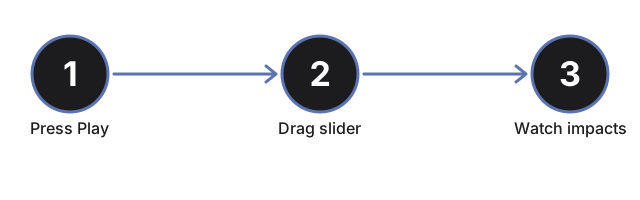
Tekan Play atau seret penggeser garis waktu
Tekan #t3dSl9PlayBtn untuk memutar otomatis sepanjang garis waktu nyata 1992-1994, atau seret #t3dSl9Progress (0 hingga 100) untuk melompat langsung ke titik mana pun. Menyeret penggeser akan menjeda pemutaran otomatis.
Baca tabel tonggak sejarah
Panel fakta mencantumkan ke-13 tonggak sejarah nyata - perpecahan akibat gaya pasang surut tahun 1992, penemuan tahun 1993, dan 11 tumbukan pecahan dengan tanggal masing-masing - dengan tonggak yang sedang aktif disorot. Seret penggeser dan lihat baris yang disorot berubah untuk mencocokkan.
Lihat rangkaian pecahan menghantam Jupiter satu per satu
Setiap kali garis waktu melewati tonggak tumbukan, penanda pecahan itu menghilang dan bekas luka gelap muncul di belahan selatan Jupiter. Pada progres 100%, seluruh 11 pecahan bernama telah menghantam sesuai urutan nyata bulan Juli 1994.
Bandingkan bekas luka Pecahan G dengan Bumi
Geser penggeser melewati 40% untuk mencapai Pecahan G, tumbukan terbesar. Tekan #t3dSl9EarthBtn untuk menggambar lingkaran seukuran diameter asli Bumi di sebelah Jupiter, sehingga Anda dapat membandingkannya langsung dengan ukuran asli bekas luka Pecahan G.
Klik Jupiter, sebuah pecahan, atau sebuah bekas luka
Klik objek apa pun dalam adegan untuk menyegarkan panel fakta dengan tonggak saat ini tanpa menggeser penggeser.
Seret untuk mengorbit dan gunakan layar penuh
Seret untuk mengorbitkan kamera, gulir atau cubit untuk memperbesar, dan gunakan tombol Layar Penuh untuk memperluas seluruh bingkai demi tampilan yang lebih jelas atas Jupiter dan rangkaian pecahan.
Selanjutnya: lihat kapan menggunakan penjelajah ini atau bagaimana perbandingannya dengan Penjelajah 3D Pembelokan Asteroid DART.
Why trust these tools
- Ten-plus years of web tooling. The freetoolonline editorial team has shipped browser-based utilities since 2015. The goal has never changed: get you to a working output fast, without an install.
- No install, no sign-up. Open a tool and get a working output in seconds - nothing to download and no account to create. Tools that need heavy processing run it on our service, so even a low-powered machine gets the job done.
- Analytics stops at the page view. We measure which pages get visited, not what you type or upload inside a tool. There is nothing to sign in to and no profile is attached to your input.
- Open-source core components. The processing engines underneath (libheif, libde265, pdf-lib, terser, clean-css, ffmpeg.wasm, and others) are public and audit-able. We link to each one in its tool page's footer.
- Free, with or without ads. All tools are fully functional without sign-up. The Disable Ads button in the header is always available if you need a distraction-free run.