UUID Generator Vs Alternatives - When the Browser Option Wins
Pick UUID Generator when you want RFC 4122 version-4 IDs minted in the browser with no install and no upload - choose a desktop app if you need offline tooling outside the browser, or an upload-based online service only if you accept sending requests to someone else's server.
How UUID Generator compares
UUID Generator runs entirely in the browser via crypto.randomUUID(). Set a batch from 1 to 100, click Generate, and copy one line or the whole list. Uppercase and no-hyphens toggles reshape the same v4 values without a second tool. Nothing is uploaded, and nothing is stored after you leave the page.
| Aspect | UUID Generator (this tool) | Desktop application | Upload-based online service |
|---|---|---|---|
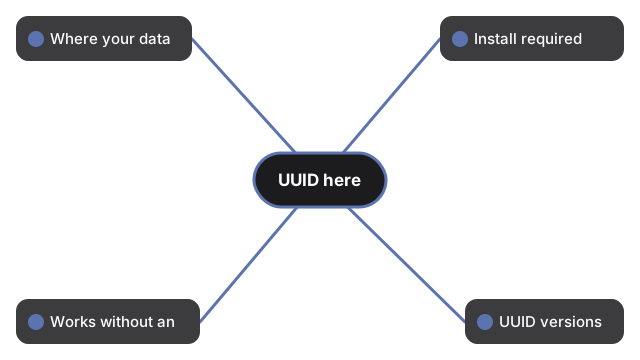
| Where your data goes | Stays on this device - runs in the browser | Stays on this device | Uploaded to a server |
| Install required | No | Yes | No |
| Works without an account | Yes | Yes | Varies by service |
| UUID versions | Version-4 (random) only via crypto.randomUUID() | Varies by app | Varies by service |
| Batch size | 1-100 per Generate, plus uppercase / no-hyphens toggles | Varies by app | Varies by service |
When UUID Generator is the better fit
UUID Generator is the better fit when you need a quick batch of v4 IDs for forms, fixtures, or local scripts, want Copy-all of newline-joined lines, and prefer that nothing leaves the device. A fresh batch already appears on load so you can copy without waiting for the first click.
When another option fits better
Choose another option when you need version-1 or version-5 UUIDs, or a uniqueness check against an external database - UUID Generator does not offer those. If you need to hash a value instead of minting an ID, use the Hash Generator (SHA-256/512). Walkthrough: UUID Generator step-by-step. Session fit: when to use UUID Generator.
Why trust these tools
- Ten-plus years of web tooling. The freetoolonline editorial team has shipped browser-based utilities since 2015. The goal has never changed: get you to a working output fast, without an install.
- No install, no sign-up. Open a tool and get a working output in seconds - nothing to download and no account to create. Tools that need heavy processing run it on our service, so even a low-powered machine gets the job done.
- Analytics stops at the page view. We measure which pages get visited, not what you type or upload inside a tool. There is nothing to sign in to and no profile is attached to your input.
- Open-source core components. The processing engines underneath (libheif, libde265, pdf-lib, terser, clean-css, ffmpeg.wasm, and others) are public and audit-able. We link to each one in its tool page's footer.
- Free, with or without ads. All tools are fully functional without sign-up. The Disable Ads button in the header is always available if you need a distraction-free run.