Initializing, please wait a moment
So erkundest du die Apollo-Landestellen auf dem Mond in 3D
Öffne den Explorer und klicke auf jede gelbe Markierung, um zu sehen, wo die sechs Apollo-Crews tatsächlich gelandet sind.
- Öffne https://freetoolonline.com/space-3d/apollo-landing-sites-moon-3d.html und warte, bis der Mond und die sechs gelben Markierungen erscheinen.
- Klicke auf eine beliebige Markierung auf dem Mond - das Faktenfeld zeigt das Landedatum und die Crew dieser Mission.
- Nutze das Dropdown-Menü über der Szene, um direkt zu einer der anderen fünf Missionen zu springen.
- Ziehe, um den Mond zu drehen, und vergleiche den tatsächlichen Abstand zwischen den sechs Landestellen.
- Lies die Tabelle mit den Standortnamen unten für einen schnellen Vergleich aller sechs Landungen.
Wichtige Zahlen der Apollo-Landungen
| Kennzahl | Wert |
|---|---|
| Markierte bemannte Landestellen | 6 (Apollo 11, 12, 14, 15, 16, 17) |
| Erste Landung | Apollo 11, 20.07.1969 |
| Letzte Landung | Apollo 17, 11.12.1972 |
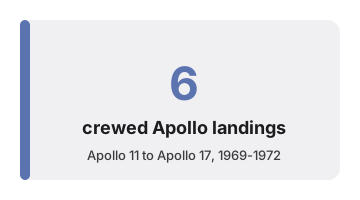
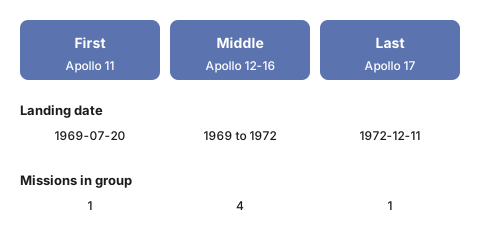
Weiter geht es mit der Anleitung zum richtigen Einsatz oder dem Vergleich mit Alternativen. Öffne den 3D-Explorer der Apollo-Landestellen auf dem Mond.
Why trust these tools
- Ten-plus years of web tooling. The freetoolonline editorial team has shipped browser-based utilities since 2015. The goal has never changed: get you to a working output fast, without an install.
- No install, no sign-up. Open a tool and get a working output in seconds - nothing to download and no account to create. Tools that need heavy processing run it on our service, so even a low-powered machine gets the job done.
- Analytics stops at the page view. We measure which pages get visited, not what you type or upload inside a tool. There is nothing to sign in to and no profile is attached to your input.
- Open-source core components. The processing engines underneath (libheif, libde265, pdf-lib, terser, clean-css, ffmpeg.wasm, and others) are public and audit-able. We link to each one in its tool page's footer.
- Free, with or without ads. All tools are fully functional without sign-up. The Disable Ads button in the header is always available if you need a distraction-free run.