So Nutzt Du den Local Bubble Interstellar Cavity 3D Explorer - Schritt für Schritt
Öffne den Local Bubble Interstellar Cavity 3D Explorer, drücke Play oder ziehe den Zeitleisten-Regler, und klicke dann auf einen Marker oder lies das Faktenfeld, um die echten veröffentlichten Zahlen zur 1.000 Lichtjahre weiten Nachbarschaft der Sonne zu sehen.
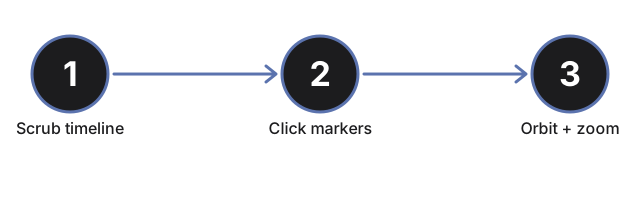
Drücke Play oder ziehe den Zeitleisten-Regler
Drücke die Play-Taste, um automatisch durch die 14-Millionen-Jahre-Geschichte der Bubble zu laufen, oder ziehe den Regler (0 bis 14 Millionen Jahre), um direkt zu einem beliebigen Punkt zu springen. Das Ziehen des Reglers pausiert die automatische Wiedergabe.
Sieh zu, wie die Bubble wächst und sich die Sonne annähert
Während die Zeitleiste fortschreitet, wächst die durchscheinende Schale nach außen und der kleine gelbe Sonnenmarker driftet von weit außen zur Mitte hin - die Statuszeile meldet den Moment, in dem die Sonne in die Bubble eintritt, vor etwa 5 Millionen Jahren auf der echten Zeitleiste.
Lies den Live-Supernova-Zähler
Der Live-Zähler im Faktenfeld steigt auf etwa 15, während die Zeitleiste fortschreitet - passend zur veröffentlichten Schätzung, wie viele Supernovae die Bubble geformt haben.
Klicke auf die sieben blauen Regionsmarker
Klicke auf einen der sieben blauen Marker an der Oberfläche der Bubble, um die echte veröffentlichte Entfernung und Rolle dieser Region zu lesen: Ophiuchus, Lupus, Pipe, Chamaeleon, Musca, Corona Australis oder die Taurus-Molekülwolke.
Zeige Perseus und Orion
Drücke "Perseus & Orion zeigen (nicht auf dieser Bubble)", um zwei weitere Marker für zwei bekannte nahe Regionen anzuzeigen, von denen oft angenommen wird, dass sie auf der Oberfläche der Local Bubble liegen, was laut der veröffentlichten Forschung aber tatsächlich nicht der Fall ist - klicke auf einen der beiden, um den Grund zu lesen.
Ziehen zum Umkreisen und Vollbild nutzen
Ziehe, um die Kamera zu umkreisen, nutze das Mausrad oder die Pinch-Geste zum Zoomen, und verwende die Vollbild-Taste, um den gesamten Rahmen zu erweitern und die wachsende Bubble deutlicher zu sehen.
Als Nächstes: sieh dir an, wann dieser Explorer sinnvoll ist oder wie er sich mit dem Galactic Year - Sun's Orbit 3D Explorer vergleicht.
Why trust these tools
- Ten-plus years of web tooling. The freetoolonline editorial team has shipped browser-based utilities since 2015. The goal has never changed: get you to a working output fast, without an install.
- No install, no sign-up. Open a tool and get a working output in seconds - nothing to download and no account to create. Tools that need heavy processing run it on our service, so even a low-powered machine gets the job done.
- Analytics stops at the page view. We measure which pages get visited, not what you type or upload inside a tool. There is nothing to sign in to and no profile is attached to your input.
- Open-source core components. The processing engines underneath (libheif, libde265, pdf-lib, terser, clean-css, ffmpeg.wasm, and others) are public and audit-able. We link to each one in its tool page's footer.
- Free, with or without ads. All tools are fully functional without sign-up. The Disable Ads button in the header is always available if you need a distraction-free run.