Como Explorar Moon Phases 3D Explorer - Passo a Passo
The Moon Phases 3D Explorer starts as soon as the page loads: drag to orbit the Sun-Earth-Moon layout, scroll or pinch to zoom, and slide the phase day control from 0 to 29.53. Everything renders on your own device - no install, no account.
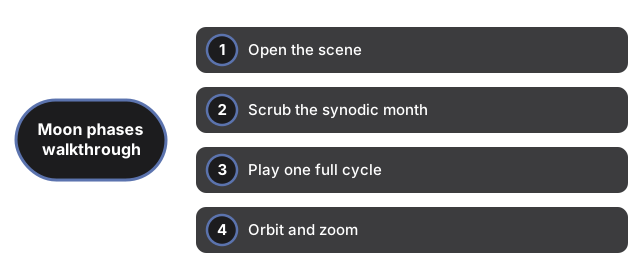
Open the scene
Load the page and the Earth-Moon pair appears with the Sun off to one side. The 3D engine downloads once and is cached. If WebGL is unavailable, a plain notice appears instead of a broken canvas, and the facts panel still reads normally.
Scrub the synodic month
Move the phase day slider from 0.0 to 29.53. Day 0 is new moon - the Moon sits between Earth and the Sun so the face toward Earth is dark. Near day 7.4 you reach first quarter; near day 14.8 full moon; near day 22.1 last quarter. The panel updates the phase name on every move.
Play one full cycle
Press Play month to animate from day 0 through 29.53 and loop. At 1x one synodic month takes about 30 seconds. Press again to pause on any phase for a closer look.
Orbit and zoom
Drag to swing the camera around the Earth-Moon pair and see the Sun direction from different angles. Scroll or pinch to move closer to the Moon's lit hemisphere or pull back to see the whole geometry.
Read the facts panel
The panel lists synodic month 29.53 days, sidereal month 27.32 days, mean distance 384,400 km, and inclination 5.14 degrees - NASA published values. A note below states that on-screen sizes and distances are compressed; the table numbers are real.
Why trust these tools
- Ten-plus years of web tooling. The freetoolonline editorial team has shipped browser-based utilities since 2015. The goal has never changed: get you to a working output fast, without an install.
- No install, no sign-up. Open a tool and get a working output in seconds - nothing to download and no account to create. Tools that need heavy processing run it on our service, so even a low-powered machine gets the job done.
- Analytics stops at the page view. We measure which pages get visited, not what you type or upload inside a tool. There is nothing to sign in to and no profile is attached to your input.
- Open-source core components. The processing engines underneath (libheif, libde265, pdf-lib, terser, clean-css, ffmpeg.wasm, and others) are public and audit-able. We link to each one in its tool page's footer.
- Free, with or without ads. All tools are fully functional without sign-up. The Disable Ads button in the header is always available if you need a distraction-free run.