Cách Sử Dụng Trình Khám Phá 3D Rosetta + Philae 67P - Từng Bước
Mở Trình Khám Phá 3D Rosetta + Philae 67P, nhấn Play hoặc kéo thanh trượt tiến trình sứ mệnh, sau đó đọc bảng thông tin để xem ngày thực đã công bố và các số liệu tại mỗi cột mốc của sứ mệnh.
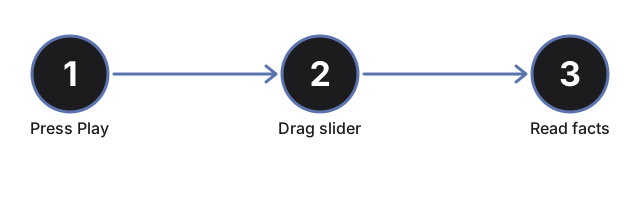
Nhấn Play hoặc kéo thanh trượt tiến trình
Nhấn #t3dRpPlayBtn để tự động đưa Rosetta và Philae tiến theo dòng thời gian thực 2004-2016, hoặc kéo #t3dRpProgress (từ 0 đến 100) để nhảy thẳng đến bất kỳ điểm nào. Kéo thanh trượt sẽ tạm dừng chế độ tự động phát.
Đọc bảng cột mốc
Bảng thông tin liệt kê cả 7 cột mốc thực của sứ mệnh - phóng tàu, đưa vào quỹ đạo, Philae tách ra và hạ cánh lần đầu, vị trí dừng cuối cùng của nó, điểm cận nhật và thời điểm kết thúc sứ mệnh - với cột mốc đang hoạt động được tô đậm. Kéo thanh trượt và quan sát dòng được tô đậm thay đổi.
Quan sát Philae tách ra, hạ xuống và nảy lên
Trong khoảng 40% đến 55% tiến trình, tàu đổ bộ Philae tách rõ khỏi Rosetta, hạ xuống thùy nhỏ của sao chổi, và nảy theo một đường cong từ vị trí chạm đất đầu tiên đến vị trí dừng cuối cùng - câu chuyện thực về việc móc neo không kích hoạt vào ngày 12 tháng 11 năm 2014.
Chú ý các luồng phun tại điểm cận nhật
Kéo đến khoảng 70-82% tiến trình để đến điểm sao chổi gần Mặt Trời nhất, vào ngày 13 tháng 8 năm 2015. Các luồng hạt xuất hiện gần nhân sao chổi, và một chú thích giải thích sự gia tăng thực sự trong hoạt động thoát khí tại điểm đó trên quỹ đạo.
Nhấp vào sao chổi, Rosetta hoặc Philae
Nhấp vào bất kỳ vật thể nào trong ba vật thể của cảnh để làm mới bảng thông tin với cột mốc hiện tại mà không cần di chuyển thanh trượt.
Kéo để xoay góc nhìn và dùng chế độ toàn màn hình
Kéo để xoay camera, cuộn hoặc chụm hai ngón tay để thu phóng, và dùng nút toàn màn hình để mở rộng toàn bộ khung nhìn cho một góc nhìn rõ hơn về nhân hai thùy và các vị trí hạ cánh.
Tiếp theo: xem khi nào nên dùng trình khám phá này hoặc so sánh với Trình Khám Phá 3D Hayabusa2 Ryugu Sample Return.
Why trust these tools
- Ten-plus years of web tooling. The freetoolonline editorial team has shipped browser-based utilities since 2015. The goal has never changed: get you to a working output fast, without an install.
- No install, no sign-up. Open a tool and get a working output in seconds - nothing to download and no account to create. Tools that need heavy processing run it on our service, so even a low-powered machine gets the job done.
- Analytics stops at the page view. We measure which pages get visited, not what you type or upload inside a tool. There is nothing to sign in to and no profile is attached to your input.
- Open-source core components. The processing engines underneath (libheif, libde265, pdf-lib, terser, clean-css, ffmpeg.wasm, and others) are public and audit-able. We link to each one in its tool page's footer.
- Free, with or without ads. All tools are fully functional without sign-up. The Disable Ads button in the header is always available if you need a distraction-free run.