Cómo Usar el Explorador 3D del Diapasón de Hubble - Paso a Paso
Abre el Explorador 3D del Diapasón de Hubble, pulsa un botón E0-E7 o un botón a/b/c para transformar la muestra, alterna entre Normal y Barrada, y prueba el desafío de galaxia real para comprobar lo que has aprendido.
Pulsa los botones E0-E7
Pulsa E0 hasta E7 para ver la muestra aplanarse desde una nube de puntos casi redonda hasta la forma más aplanada que los astrónomos realmente observan - el panel de datos muestra la fórmula exacta de elipticidad detrás de cada nivel.
Pulsa S0, luego a, b o c
Pulsa S0 para ver la clase de transición lenticular - un bulbo y un disco sin brazos espirales - luego pulsa a, b o c para hacer crecer los brazos espirales, observando el bulbo central encogerse y los brazos aflojarse de muy enrollados a sueltos.
Alterna entre espiral Normal y Barrada
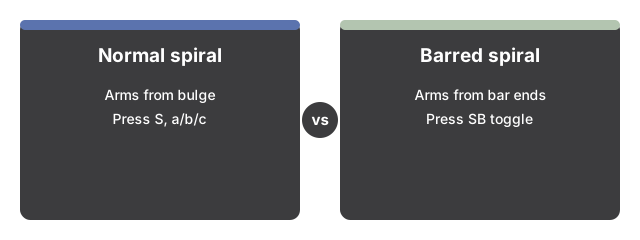
Pulsa "Barred spiral (SB)" para añadir la barra central y ver los brazos espirales surgir de los extremos de la barra en lugar del bulbo; pulsa "Normal spiral (S)" para quitarla. El interruptor solo cambia algo cuando estás en S0 o a/b/c.
Pulsa "Walk the fork"
Pulsa "Walk the fork" para recorrer automáticamente los doce niveles de ida y vuelta sin intervención, o pulsa de nuevo para pausar y tomar el control con los botones.
Muestra las irregulares, más allá del diapasón
Pulsa "Show irregulars (beyond the fork)" para revelar una forma irregular a un lado - la clase que Hubble dejó deliberadamente fuera de su diagrama.
Prueba el desafío de galaxia real
Pulsa "Real-galaxy challenge" para recibir una pista sobre una galaxia real y nombrada. Haz tu propia conjetura con los botones E0-E7/S0/a-b-c y el interruptor Normal/Barrada, luego pulsa "Reveal" para ver su clasificación real y el dato con fuente detrás de ella.
Arrastra para orbitar y usa pantalla completa
Arrastra para orbitar la cámara, usa la rueda del ratón o el gesto de pinza para hacer zoom, y usa el botón de Pantalla Completa para expandir todo el marco y ver con más claridad.
A continuación: consulta cuándo usar este explorador o cómo se compara con el Simulador 3D de Galaxia.
Why trust these tools
- Ten-plus years of web tooling. The freetoolonline editorial team has shipped browser-based utilities since 2015. The goal has never changed: get you to a working output fast, without an install.
- No install, no sign-up. Open a tool and get a working output in seconds - nothing to download and no account to create. Tools that need heavy processing run it on our service, so even a low-powered machine gets the job done.
- Analytics stops at the page view. We measure which pages get visited, not what you type or upload inside a tool. There is nothing to sign in to and no profile is attached to your input.
- Open-source core components. The processing engines underneath (libheif, libde265, pdf-lib, terser, clean-css, ffmpeg.wasm, and others) are public and audit-able. We link to each one in its tool page's footer.
- Free, with or without ads. All tools are fully functional without sign-up. The Disable Ads button in the header is always available if you need a distraction-free run.