Cómo Usar el Explorador 3D Rosetta + Philae 67P - Paso a Paso
Abre el Explorador 3D Rosetta + Philae 67P, presiona Play o arrastra el control de progreso de la misión, y luego lee el panel de datos para ver la fecha real publicada y las cifras de cada hito de la misión.
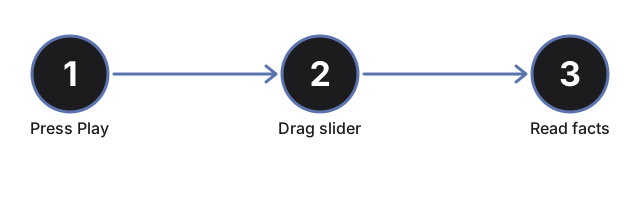
Presiona Play o arrastra el control de progreso
Presiona #t3dRpPlayBtn para avanzar automáticamente a Rosetta y Philae por la línea de tiempo real 2004-2016, o arrastra #t3dRpProgress (0 a 100) para saltar directamente a cualquier punto. Arrastrar el control pausa la reproducción automática.
Lee la tabla de hitos
El panel de datos lista los 7 hitos reales de la misión - lanzamiento, inserción orbital, separación y primer aterrizaje de Philae, su sitio de descanso final, el perihelio y el fin de la misión - con el actualmente activo resaltado. Arrastra el control y observa cómo cambia la fila resaltada.
Observa cómo Philae se separa, desciende y rebota
Entre aproximadamente 40% y 55% de progreso, el módulo Philae se separa visiblemente de Rosetta, desciende hacia el lóbulo pequeño del cometa y rebota en un arco desde el primer sitio de aterrizaje hasta su lugar de descanso final - la historia real de los arpones de anclaje que no se dispararon el 12 de noviembre de 2014.
Observa los chorros del perihelio
Arrastra hasta aproximadamente 70-82% de progreso para llegar al punto más cercano al Sol del cometa, el 13 de agosto de 2015. Aparecen chorros de partículas cerca del núcleo, y una nota explica el aumento real en la actividad de desgasificación en ese punto de la órbita.
Haz clic en el cometa, Rosetta o Philae
Haz clic en cualquiera de los tres objetos de la escena para actualizar el panel de datos con el hito actual sin mover el control.
Arrastra para orbitar y usa pantalla completa
Arrastra para orbitar la cámara, desliza o pellizca para hacer zoom, y usa el botón de pantalla completa para expandir todo el marco y ver con más claridad el núcleo de dos lóbulos y los sitios de aterrizaje.
A continuación: consulta cuándo usar este explorador o cómo se compara con el Explorador 3D Hayabusa2 Ryugu Sample Return.
Why trust these tools
- Ten-plus years of web tooling. The freetoolonline editorial team has shipped browser-based utilities since 2015. The goal has never changed: get you to a working output fast, without an install.
- No install, no sign-up. Open a tool and get a working output in seconds - nothing to download and no account to create. Tools that need heavy processing run it on our service, so even a low-powered machine gets the job done.
- Analytics stops at the page view. We measure which pages get visited, not what you type or upload inside a tool. There is nothing to sign in to and no profile is attached to your input.
- Open-source core components. The processing engines underneath (libheif, libde265, pdf-lib, terser, clean-css, ffmpeg.wasm, and others) are public and audit-able. We link to each one in its tool page's footer.
- Free, with or without ads. All tools are fully functional without sign-up. The Disable Ads button in the header is always available if you need a distraction-free run.