Cómo Usar el Explorador 3D Parker Solar Probe - Paso a Paso
Abre el Explorador 3D Parker Solar Probe, pulsa Reproducir o arrastra el control de progreso de la misión, y luego lee el panel de datos para ver la fecha, distancia y velocidad reales publicadas en cada sobrevuelo de Venus y perihelio.
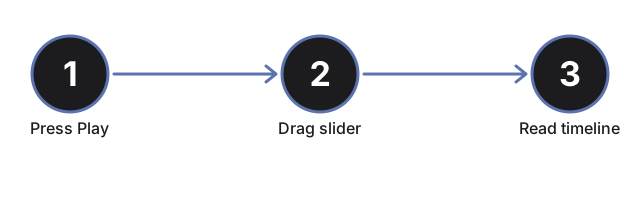
Pulsa Reproducir o arrastra el control de progreso
Pulsa #t3dPspPlayBtn para avanzar automáticamente la nave por su línea de tiempo real de 2018-2024, o arrastra #t3dPspProgress (0 a 100) para saltar directamente a cualquier punto. Arrastrar el control pausa la reproducción automática.
Lee la tabla de hitos
El panel de datos lista los 10 hitos reales de la misión - lanzamiento, cada sobrevuelo de Venus con fecha, y cada perihelio - con el hito actual resaltado. Arrastra el control y observa cómo la fila resaltada cambia para coincidir con la posición de la nave.
Observa cómo la órbita se estrecha en cada sobrevuelo de Venus
Cada vez que la línea de tiempo pasa por un hito de sobrevuelo de Venus, la trayectoria orbital de la nave se acerca visiblemente más al Sol. Este es el diseño real de la trayectoria V7GA: siete asistencias gravitacionales de Venus, cada una reduciendo la aproximación máxima sin combustible adicional.
Observa la nota del escudo térmico
Arrastra hasta pasar el 88% del progreso para llegar a la aproximación máxima récord del 24 de diciembre de 2024. Aparece una nota sobre el escudo térmico en el panel, mostrando la clasificación real de temperatura publicada del escudo junto con el interior de la nave, que permanece cerca de la temperatura ambiente.
Haz clic en el Sol, Venus o la nave
Haz clic en cualquiera de los tres objetos de la escena para actualizar el panel de datos con el hito actual sin mover el control.
Arrastra para orbitar y usa pantalla completa
Arrastra para orbitar la cámara, desplaza o pellizca para hacer zoom, y usa el botón Pantalla Completa para expandir todo el panel y obtener una vista más clara del Sol, Venus y la trayectoria orbital.
Siguiente: consulta cuándo usar este explorador o cómo se compara con el Explorador 3D Cassini Grand Finale.
Why trust these tools
- Ten-plus years of web tooling. The freetoolonline editorial team has shipped browser-based utilities since 2015. The goal has never changed: get you to a working output fast, without an install.
- No install, no sign-up. Open a tool and get a working output in seconds - nothing to download and no account to create. Tools that need heavy processing run it on our service, so even a low-powered machine gets the job done.
- Analytics stops at the page view. We measure which pages get visited, not what you type or upload inside a tool. There is nothing to sign in to and no profile is attached to your input.
- Open-source core components. The processing engines underneath (libheif, libde265, pdf-lib, terser, clean-css, ffmpeg.wasm, and others) are public and audit-able. We link to each one in its tool page's footer.
- Free, with or without ads. All tools are fully functional without sign-up. The Disable Ads button in the header is always available if you need a distraction-free run.