Como crear una lista de tareas en linea - gratis y sin registro
Una herramienta de lista de tareas mantiene una lista simple directamente en tu navegador. Escribe una tarea y pulsa Enter o haz clic en Agregar, marca los elementos a medida que los terminas y elimina los que ya no necesitas. La lista se guarda localmente, sin instalar apps.
Last reviewed: 2026-06-15
FreetoolOnline editorial team| Propiedad | Valor |
|---|---|
| Formato | En linea, sin instalar, sin registro |
| Costo | Gratis |
| Herramienta de implementacion | https://freetoolonline.com/utility-tools/todo-list.html |
Pasos
Pasos son abrir la herramienta de to-do, escribir un item, pulsar Enter y marcar lo hecho - en How to Make a Todo List Online la lista se queda en el navegador hasta que la borres.

- Abre la herramienta y escribe tu primera tarea en el cuadro de texto.
- Pulsa Enter o haz clic en Agregar para ponerla en la lista.
- Marca la casilla junto a una tarea cuando la termines; aparece como hecha.
- Usa el boton Eliminar para quitar una tarea que ya no necesitas.
Donde se guarda tu lista
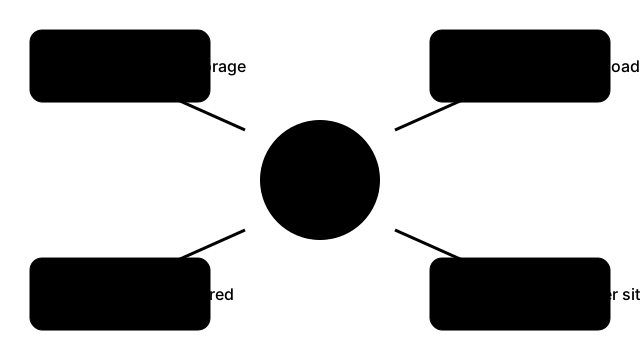
La lista vive en el almacenamiento local del navegador, asi que sigue ahi cuando recargas la pagina o vuelves mas tarde en el mismo dispositivo y navegador. No se sube nada y no hay cuenta que crear. Borrar los datos del sitio en este navegador elimina la lista.
| Pregunta | Respuesta |
|---|---|
| Donde se guarda la lista | En el almacenamiento local del navegador |
| Sigue tras recargar la pagina | Si |
| Necesita registro o instalacion | No |
| Espacio tipico de almacenamiento local por sitio | Alrededor de 5 MB |
Cuando usarla
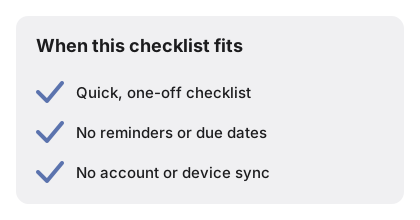
Cuando usarla es una checklist rapida sin instalar ni iniciar sesion - en How to Make a Todo List Online encaja con compras, maleta o tareas del dia con un contador restante en vivo.
← Volver a herramientas de utilidad
Detalles que una respuesta breve omite
Un resumen corto cubre lo básico; hay algunos comportamientos fáciles de pasar por alto hasta que te topas con ellos. Las entradas vacías se rechazan a propósito - pulsa Enter con el campo en blanco y aparece un aviso breve en lugar de una fila vacía, así la lista nunca se llena de marcadores sueltos. Las tareas nuevas se colocan al principio de la lista y no al final, lo que mantiene a la vista lo que acabas de añadir en vez de empujarlo bajo una lista larga. Marcar la casilla de una tarea no la elimina - traza una línea sobre el texto y la conserva como una tarea hecha visible, para que veas lo que ya completaste; solo el botón Eliminar quita una fila de forma definitiva. Un contador junto a la lista indica cuántas tareas siguen abiertas, así "cuatro pendientes" se ve de un vistazo sin volver a contar las filas.