Cuándo Usar el Explorador 3D de la Secuencia de Despliegue del JWST
Abre el Explorador 3D de la Secuencia de Despliegue del JWST cuando quieras una respuesta rápida y con fechas reales sobre por qué el Telescopio Espacial James Webb tuvo que plegarse para el lanzamiento, y exactamente cómo se desplegaron su torre, su parasol y su espejo en el espacio.
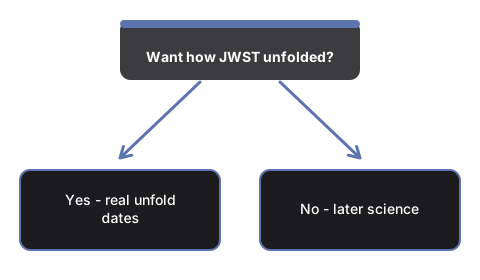
Sesiones para las que este explorador es adecuado
Estudiantes y profesores que explican por qué un espejo de 6,5 m y un parasol de 21x14 m no cabrían dentro de un cofre de cohete ya montados, lectores que recuerdan las noticias del despliegue de enero de 2022 y quieren el orden real de los hechos, y cualquiera con curiosidad por cómo una nave puede tener 178 mecanismos de liberación que todos debían funcionar - todos encuentran una respuesta directa aquí.
Sesiones para las que este explorador no es adecuado
Sesiones que esta página no cubre son ver qué hace el JWST DESPUÉS de terminar de desplegarse, lo cual está en el Explorador 3D de la Órbita Halo L2 del JWST - esa página continúa la historia desde el momento en que el JWST ya está completamente desplegado y asentándose en su órbita científica. Recorre los controles en la guía paso a paso.
Why trust these tools
- Ten-plus years of web tooling. The freetoolonline editorial team has shipped browser-based utilities since 2015. The goal has never changed: get you to a working output fast, without an install.
- No install, no sign-up. Open a tool and get a working output in seconds - nothing to download and no account to create. Tools that need heavy processing run it on our service, so even a low-powered machine gets the job done.
- Analytics stops at the page view. We measure which pages get visited, not what you type or upload inside a tool. There is nothing to sign in to and no profile is attached to your input.
- Open-source core components. The processing engines underneath (libheif, libde265, pdf-lib, terser, clean-css, ffmpeg.wasm, and others) are public and audit-able. We link to each one in its tool page's footer.
- Free, with or without ads. All tools are fully functional without sign-up. The Disable Ads button in the header is always available if you need a distraction-free run.