Initializing, please wait a moment
Cách Khám Phá Pulsar Timing Array 3D Explorer
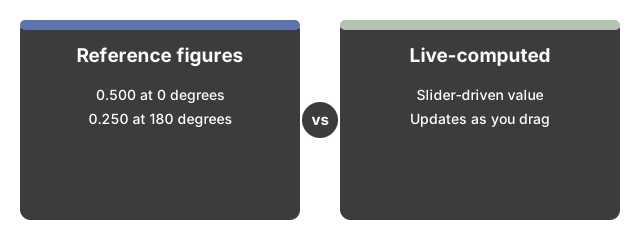
Mở Pulsar Timing Array 3D Explorer, kéo thanh trượt góc tách, và xem tương quan Hellings-Downs giữa pulsar tham chiếu màu vàng và pulsar dò màu hồng cánh sen tăng lên, giảm xuống âm rồi tăng trở lại, được tính trực tiếp.
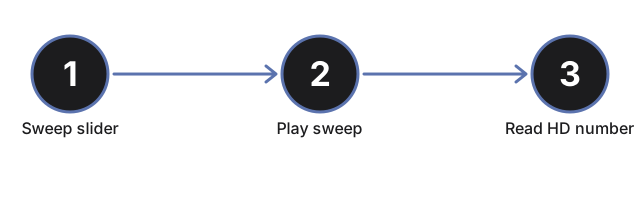
- Mở https://freetoolonline.com/space-3d/pulsar-timing-array.html và chờ Trái Đất, mảng pulsar, và cặp được đánh dấu hiển thị.
- Kéo thanh trượt góc tách từ 0 đến 180 độ và xem pulsar dò màu hồng cánh sen di chuyển theo cung nét đứt, xa dần pulsar tham chiếu màu vàng.
- Nhấn "Play sweep" để chạy tự động toàn bộ chu kỳ từ 0 đến 180 độ.
- Chọn "Show correlation-curve chart" để hiện biểu đồ nội tuyến vẽ tương quan tại mọi góc, kèm điểm đánh dấu ở vị trí hiện tại của bạn.
- Đọc bảng dữ liệu để biết số tương quan Hellings-Downs trực tiếp và cặp pulsar đang tương quan thuận, tương quan nghịch, hay gần bằng không.
- Kéo để xoay cảnh và cuộn hoặc chụm để thu phóng, xem mảng pulsar rõ hơn.
Các số liệu công bố chính
| Số liệu | Giá trị |
|---|---|
| Tương quan Hellings-Downs tại 0 độ | 0,500 |
| Tương quan Hellings-Downs tại 180 độ | 0,250 |
| Bộ dữ liệu 15 năm của NANOGrav | 68 pulsar mili giây |
| Biên độ nền năm 2023 | khoảng 2,4e-15 tại tần số 1/năm |
Tiếp theo: hướng dẫn khi nào nên dùng hoặc so sánh với các lựa chọn khác. Mở Pulsar Timing Array 3D Explorer.
Why trust these tools
- Ten-plus years of web tooling. The freetoolonline editorial team has shipped browser-based utilities since 2015. The goal has never changed: get you to a working output fast, without an install.
- No install, no sign-up. Open a tool and get a working output in seconds - nothing to download and no account to create. Tools that need heavy processing run it on our service, so even a low-powered machine gets the job done.
- Analytics stops at the page view. We measure which pages get visited, not what you type or upload inside a tool. There is nothing to sign in to and no profile is attached to your input.
- Open-source core components. The processing engines underneath (libheif, libde265, pdf-lib, terser, clean-css, ffmpeg.wasm, and others) are public and audit-able. We link to each one in its tool page's footer.
- Free, with or without ads. All tools are fully functional without sign-up. The Disable Ads button in the header is always available if you need a distraction-free run.