Cách Sử Dụng Trình Khám Phá 3D Phân Loại Quang Phổ Sao - Từng Bước
Mở Trình Khám Phá 3D Phân Loại Quang Phổ Sao, chọn một lớp theo chữ cái hoặc kéo thanh trượt nhiệt độ, rồi đọc bảng thông tin để xem khoảng nhiệt độ thực, họ vạch hấp thụ chiếm ưu thế, và ví dụ về độ sáng của ngôi sao đó.
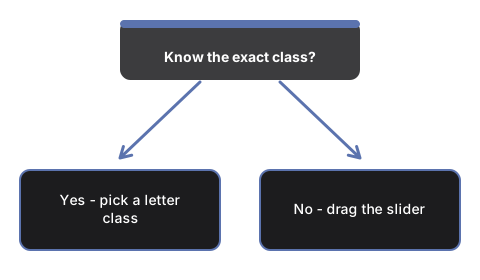
Chọn một nút lớp theo chữ cái
Nhấn bất kỳ nút nào trong bảy nút O, B, A, F, G, K, M để đưa #t3dSscTempSlider thẳng đến nhiệt độ đại diện của lớp đó. Màu của ngôi sao và ba thanh cường độ vạch sẽ cập nhật theo.
Hoặc tự kéo thanh trượt nhiệt độ
Kéo #t3dSscTempSlider để di chuyển liên tục qua toàn bộ dãy OBAFGKM. Thanh trượt được chia theo thang phi tuyến để cả sao loại O nóng nhất và sao loại M lạnh nhất đều có thể chạm tới trong một lần kéo.
Chuyển đổi lớp độ sáng
Nhấn #t3dSscLumBtn-V, #t3dSscLumBtn-III hoặc #t3dSscLumBtn-I để so sánh một sao lùn dải chính, một sao khổng lồ, hoặc một sao siêu khổng lồ ở cùng một nhiệt độ - kích thước ngôi sao trên màn hình thay đổi dựa trên các ví dụ thực của Aldebaran và Betelgeuse như một thang minh họa.
Cố định Mặt Trời
Nhấn #t3dSscSunBtn để chuyển thẳng đến nhiệt độ hiệu dụng thực của Mặt Trời, 5.772 K, ở độ sáng dải chính - phân loại G2V thực sự của Mặt Trời.
Phát qua toàn dãy không cần thao tác
Nhấn #t3dSscPlayBtn để tự động chạy qua lại toàn bộ dãy OBAFGKM, hoặc nhấn lại để tạm dừng và tự điều khiển.
Kéo để xoay và dùng toàn màn hình
Kéo để xoay góc nhìn camera, cuộn hoặc chụm để thu phóng, và dùng nút Toàn Màn Hình để mở rộng toàn bộ khung nhìn cho ngôi sao và ba thanh cường độ vạch dễ xem hơn.
Tiếp theo: xem khi nào nên dùng trình khám phá này hoặc so sánh với Trình Khám Phá 3D Bức Xạ Vật Đen.
Why trust these tools
- Ten-plus years of web tooling. The freetoolonline editorial team has shipped browser-based utilities since 2015. The goal has never changed: get you to a working output fast, without an install.
- No install, no sign-up. Open a tool and get a working output in seconds - nothing to download and no account to create. Tools that need heavy processing run it on our service, so even a low-powered machine gets the job done.
- Analytics stops at the page view. We measure which pages get visited, not what you type or upload inside a tool. There is nothing to sign in to and no profile is attached to your input.
- Open-source core components. The processing engines underneath (libheif, libde265, pdf-lib, terser, clean-css, ffmpeg.wasm, and others) are public and audit-able. We link to each one in its tool page's footer.
- Free, with or without ads. All tools are fully functional without sign-up. The Disable Ads button in the header is always available if you need a distraction-free run.