Cuándo Usar el Pulsar Timing Array 3D Explorer - Mejores Sesiones y Límites
Abre el Pulsar Timing Array 3D Explorer cuando necesites ver cómo la separación angular entre dos púlsares predice la correlación que sus desvíos de tiempo deberían compartir si un fondo de ondas gravitacionales estuviera pasando.
Una lección sobre el fondo de ondas gravitacionales
Una lección comienza cuando mueves el control de separación y observas cómo la correlación calculada en vivo sube desde 0,5 cerca de la separación cero, cae a negativo en pares separados por unos 50 a 100 grados, y vuelve a subir a 0,25 en 180 grados - exactamente la forma que NANOGrav y las redes asociadas compararon con sus datos reales de 2023.
Sesiones que este explorador no cubre
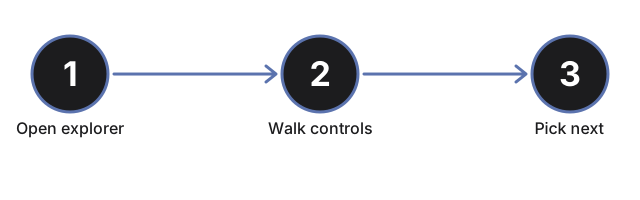
Sesiones que esta página no cubre son lecciones sobre el mecanismo propio de giro y haz de un solo púlsar - usa el Neutron Star Pulsar Explorer para eso - o el chirrido de ondas gravitacionales en kilohercios de LIGO proveniente de la fusión de un par de agujeros negros - usa el Gravitational Waves Explorer. Recorre los controles en la guía paso a paso.
Why trust these tools
- Ten-plus years of web tooling. The freetoolonline editorial team has shipped browser-based utilities since 2015. The goal has never changed: get you to a working output fast, without an install.
- No install, no sign-up. Open a tool and get a working output in seconds - nothing to download and no account to create. Tools that need heavy processing run it on our service, so even a low-powered machine gets the job done.
- Analytics stops at the page view. We measure which pages get visited, not what you type or upload inside a tool. There is nothing to sign in to and no profile is attached to your input.
- Open-source core components. The processing engines underneath (libheif, libde265, pdf-lib, terser, clean-css, ffmpeg.wasm, and others) are public and audit-able. We link to each one in its tool page's footer.
- Free, with or without ads. All tools are fully functional without sign-up. The Disable Ads button in the header is always available if you need a distraction-free run.