Cara Menggunakan Penjelajah 3D Komet Sungrazing Kreutz - Langkah demi Langkah
Buka Penjelajah 3D Komet Sungrazing Kreutz, pilih komet historis nyata atau fragmen tipikal tanpa nama, dekatkan ke Matahari dengan penggeser atau dengan "Play sweep", dan perhatikan apa yang terjadi di perihelion.
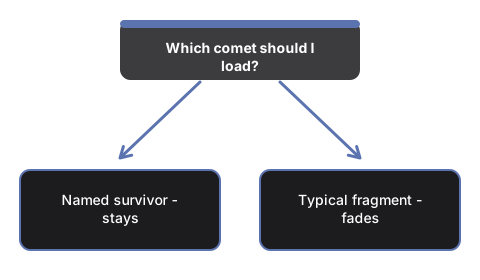
Pilih sebuah komet
Tekan "Typical family member", "Great Comet of 1843", "Great Comet of 1882", atau "Ikeya-Seki (1965)" untuk memuat jarak perihelion nyata dan fakta komet itu ke dalam scene dan panel fakta.
Dekatkan atau mainkan hingga perihelion
Seret penggeser "Sweep" untuk melompat ke titik mana pun di orbit, atau tekan "Play sweep" untuk bergerak otomatis dari jauh, melewati perihelion, dan kembali - perhatikan ekor ion (biru) dan ekor debu (kuning) memanjang saat inti komet mendekati Matahari.
Perhatikan apa yang terjadi di perihelion
Untuk fragmen tipikal keluarga, inti dan ekornya memudar hingga hilang tepat setelah perihelion - sebagian besar fragmen Kreutz menguap menjadi debu pada atau sebelum titik terdekat itu. Ketiga komet historis bernama tetap terlihat sepanjang perjalanan, karena mereka adalah penyintas yang jarang terjadi.
Baca kipas keluarga
Garis-garis samar yang mengembang di sekitar orbit terang mewakili anggota keluarga yang berkerabat, mengelompok pada jalur yang hampir sama - ini ilustrasi keluarga, bukan data terukur untuk objek tertentu.
Seret untuk mengorbit dan gunakan layar penuh
Seret untuk mengorbit kamera, gulir atau cubit untuk memperbesar, dan gunakan tombol Layar Penuh untuk memperluas seluruh bingkai demi tampilan yang lebih jelas.
Selanjutnya: lihat kapan menggunakan penjelajah ini atau bagaimana perbandingannya dengan Penjelajah 3D Orbit Komet.
Why trust these tools
- Ten-plus years of web tooling. The freetoolonline editorial team has shipped browser-based utilities since 2015. The goal has never changed: get you to a working output fast, without an install.
- No install, no sign-up. Open a tool and get a working output in seconds - nothing to download and no account to create. Tools that need heavy processing run it on our service, so even a low-powered machine gets the job done.
- Analytics stops at the page view. We measure which pages get visited, not what you type or upload inside a tool. There is nothing to sign in to and no profile is attached to your input.
- Open-source core components. The processing engines underneath (libheif, libde265, pdf-lib, terser, clean-css, ffmpeg.wasm, and others) are public and audit-able. We link to each one in its tool page's footer.
- Free, with or without ads. All tools are fully functional without sign-up. The Disable Ads button in the header is always available if you need a distraction-free run.