Cara Menggunakan Eksplorer 3D Klasifikasi Spektral Bintang - Langkah demi Langkah
Buka Eksplorer 3D Klasifikasi Spektral Bintang, pilih kelas huruf atau geser penggeser suhu, lalu baca panel fakta untuk melihat rentang suhu nyata, keluarga garis serapan yang dominan, dan contoh luminositas bintang tersebut.
Pilih tombol kelas huruf
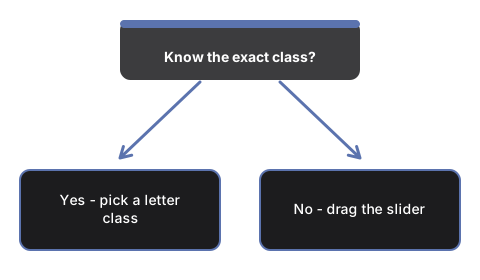
Tekan salah satu dari tujuh tombol O, B, A, F, G, K, M untuk memindahkan #t3dSscTempSlider langsung ke suhu representatif kelas itu. Warna bintang dan tiga batang kekuatan garis akan ikut berubah.
Atau geser sendiri penggeser suhu
Geser #t3dSscTempSlider untuk berpindah secara kontinu di seluruh urutan OBAFGKM. Skala penggeser dibuat agar bintang O yang paling panas maupun bintang M yang paling dingin tetap terjangkau dalam satu kali geseran.
Alihkan kelas luminositas
Tekan #t3dSscLumBtn-V, #t3dSscLumBtn-III, atau #t3dSscLumBtn-I untuk membandingkan katai deret utama, bintang raksasa, atau bintang super raksasa pada suhu yang sama - ukuran bintang di layar berubah menggunakan contoh nyata Aldebaran dan Betelgeuse sebagai skala pembelajaran.
Tetapkan Matahari
Tekan #t3dSscSunBtn untuk langsung menuju suhu efektif nyata Matahari, 5.772 K, pada luminositas deret utama - klasifikasi G2V Matahari yang sesungguhnya.
Mainkan seluruh urutan tanpa perlu diarahkan
Tekan #t3dSscPlayBtn untuk menjalankan otomatis maju-mundur di seluruh urutan OBAFGKM, atau tekan lagi untuk berhenti sejenak dan mengambil kendali manual.
Geser untuk memutar dan gunakan layar penuh
Geser untuk memutar kamera, gulir atau cubit untuk memperbesar, dan gunakan tombol Layar Penuh untuk memperluas seluruh area agar bintang dan tiga batang kekuatan garis lebih jelas terlihat.
Selanjutnya: lihat kapan menggunakan eksplorer ini atau bagaimana perbandingannya dengan Eksplorer 3D Radiasi Benda Hitam.
Why trust these tools
- Ten-plus years of web tooling. The freetoolonline editorial team has shipped browser-based utilities since 2015. The goal has never changed: get you to a working output fast, without an install.
- No install, no sign-up. Open a tool and get a working output in seconds - nothing to download and no account to create. Tools that need heavy processing run it on our service, so even a low-powered machine gets the job done.
- Analytics stops at the page view. We measure which pages get visited, not what you type or upload inside a tool. There is nothing to sign in to and no profile is attached to your input.
- Open-source core components. The processing engines underneath (libheif, libde265, pdf-lib, terser, clean-css, ffmpeg.wasm, and others) are public and audit-able. We link to each one in its tool page's footer.
- Free, with or without ads. All tools are fully functional without sign-up. The Disable Ads button in the header is always available if you need a distraction-free run.