Galaxy 3D Simulator vs a Desktop Astronomy App
Installing a native 3D or astronomy application buys power, but it costs download time, disk space, and setup. Galaxy 3D Simulator trades some of that power for zero friction. The table and notes below lay out that trade honestly, in numbers.
The numbers side by side
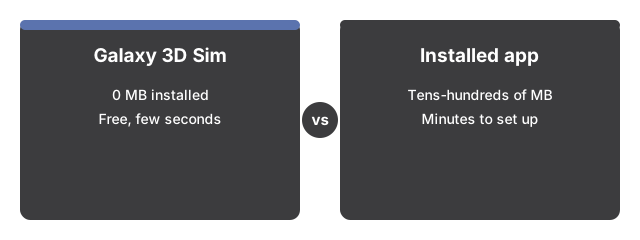
The numbers below put the Galaxy 3D Simulator side by side with its alternatives at a glance.

The figures below compare opening the Galaxy 3D Simulator against downloading and installing a typical native 3D or astronomy application on a desktop computer.
| Galaxy 3D Simulator | Typical installed desktop app | |
|---|---|---|
| Install size | 0 MB installed | Tens to hundreds of MB |
| Time to first view | A few seconds | Several minutes to download, install, and launch |
| Price | $0 | Free to tens of dollars |
| Account or sign-in | None | Sometimes required |
The one download this page does make is the 3D engine itself, fetched once and then cached, which is why visits after the first start faster.
What the browser page gives you
What the browser page gives you is the core of Galaxy 3D Simulator with none of the ceremony: drag to rotate, scroll or pinch to zoom, one click for fullscreen, and a New spiral button that regenerates the arms and scatter so no two builds match.
What an installed app still does better
What an installed app still does better is depth Galaxy 3D Simulator skips: a serious native astronomy application can load real star catalogs, model gravity and orbits, work fully offline, and push far larger datasets than a browser tab should attempt.
How to decide
How to decide between Galaxy 3D Simulator and an install: reach for the browser page when the goal is a fast, beautiful look at a spiral galaxy - a screen break, a curious kid, an ambient fullscreen scene. Commit to an install when accuracy and depth are the actual job.
For a closer look at which sessions fit this browser page best and where it honestly cannot help, see when to use Galaxy 3D Simulator.
freetoolonline.com editorial team
Why trust these tools
- Ten-plus years of web tooling. The freetoolonline editorial team has shipped browser-based utilities since 2015. The goal has never changed: get you to a working output fast, without an install.
- No install, no sign-up. Open a tool and get a working output in seconds - nothing to download and no account to create. Tools that need heavy processing run it on our service, so even a low-powered machine gets the job done.
- Analytics stops at the page view. We measure which pages get visited, not what you type or upload inside a tool. There is nothing to sign in to and no profile is attached to your input.
- Open-source core components. The processing engines underneath (libheif, libde265, pdf-lib, terser, clean-css, ffmpeg.wasm, and others) are public and audit-able. We link to each one in its tool page's footer.
- Free, with or without ads. All tools are fully functional without sign-up. The Disable Ads button in the header is always available if you need a distraction-free run.