Planet Size Comparison 3D Explorer - When to Use It, Step by Step, and How It Compares
freetoolonline.com editorial teamThe Planet Size Comparison 3D Explorer draws the Sun and all eight planets as spheres sized from published NASA mean radii, from the Sun at 696,340 km down to Mercury at 2,440 km. It runs in this browser with no install and no account: drag to orbit the lineup, scroll or pinch to zoom, and click a world button to highlight one and read its radius.
How to compare two planets step by step
Three actions cover a full comparison in the Planet Size Comparison 3D Explorer. First, wait for the status line under the canvas to read that you can drag to orbit and scroll to zoom; the facts panel opens with Earth already highlighted and a table of all nine radii. Second, click Jupiter to highlight its sphere at 69,911 km, then Earth at 6,371 km, and watch the panel heading switch to the world you picked while the camera nudges closer to it. Third, press Pause spin to freeze the lineup for a screenshot, or Play spin to rotate it slowly. Fullscreen keeps the world buttons and the panel in view while you orbit and zoom.
The nine radii the panel lists
| World | NASA mean radius |
|---|---|
| Sun | 696,340 km |
| Mercury | 2,440 km |
| Venus | 6,052 km |
| Earth | 6,371 km |
| Mars | 3,390 km |
| Jupiter | 69,911 km |
| Saturn | 58,232 km |
| Uranus | 25,362 km |
| Neptune | 24,622 km |
Each sphere radius stays proportional to the number in that row, so the size jump from Earth to Jupiter is the real ratio rather than a drawing. The scene uses Jupiter as its reference scale, which keeps the inner planets large enough to see beside the Sun.
A five-minute classroom demo
A five-minute demo is the session the Planet Size Comparison 3D Explorer fits best: open the page, highlight Jupiter at 69,911 km, then Earth at 6,371 km, and let the class watch the sphere size jump. Pause spin gives a still frame to talk over, and the panel table answers the follow-up question about the Sun at 696,340 km against Mercury at 2,440 km without leaving the scene. Nothing is installed and no sign-in interrupts the lesson, so a shared classroom machine works the same as a laptop.
How it compares with the other Space 3D scenes
| Aspect | Planet Size Comparison 3D Explorer | Solar System 3D Explorer | Moon Phases 3D Explorer |
|---|---|---|---|
| What it shows | Nine worlds in one row at true radius ratio | Planets orbiting the Sun | Sun, Earth and Moon phase geometry |
| Sphere sizes | Scale-accurate, Earth 6,371 km beside Jupiter 69,911 km | Compressed so orbits fit one screen | Not a size comparison |
| Motion | Spin toggle only, no orbital motion | Orbital motion | Scrubs a synodic month |
| Install and price | 0 MB, USD 0, no account | 0 MB, USD 0, no account | 0 MB, USD 0, no account |
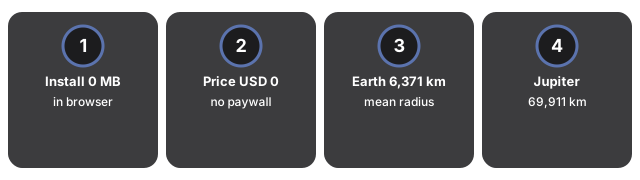
Against a static textbook diagram, the difference is that the same nine radii stay readable while you drag to orbit, highlight a world, and pause the spin. A planetarium app answers a different question, where objects sit in tonight's sky, and usually asks for an install first.
Sessions it does not fit
Some sessions need a different scene. The Planet Size Comparison 3D Explorer does not show orbital motion, does not place the worlds at real distances from the Sun, and does not compare mass, so heliocentric distance work and mass questions belong elsewhere. It also leaves out the five recognized dwarf planets alongside the eight IAU worlds; for Ceres, Pluto, Haumea, Makemake, and Eris side by side, use the Dwarf Planet Size Comparison guide. For orbiting planets with compressed sphere sizes, use the Solar System 3D Explorer. For Sun, Earth and Moon phase geometry, use the Moon Phases 3D Explorer. The scene also needs WebGL support in the browser to render at all.
Frequently asked questions
Do I need to install anything to use the 3D explorer?
No. Everything renders in your browser on your own device. There is no install and no account, and nothing is uploaded anywhere.
How do I compare two planets side by side?
Click any world button to highlight it and read its NASA mean radius in the facts panel, then drag to orbit and scroll or pinch to zoom until both worlds sit in view at the same time.
Are the gaps between the spheres real distances?
No. Only the radii are to scale. The spacing between worlds is chosen so the whole lineup stays readable on one screen, so treat the scene as a size comparison rather than a map of the Solar System.
Who keeps this guide up to date?
The FreetoolOnline editorial team reviews it against the live scene and re-checks the radii it lists. The review date sits under the heading at the top of this page.
To see the Moon's cycle instead of planet sizes, the Moon Phases 3D Explorer when-to-use guide compares the 29.53-day synodic month against the 27.32-day sidereal month.
Why trust these tools
- Ten-plus years of web tooling. The freetoolonline editorial team has shipped browser-based utilities since 2015. The goal has never changed: get you to a working output fast, without an install.
- No install, no sign-up. Open a tool and get a working output in seconds - nothing to download and no account to create. Tools that need heavy processing run it on our service, so even a low-powered machine gets the job done.
- Analytics stops at the page view. We measure which pages get visited, not what you type or upload inside a tool. There is nothing to sign in to and no profile is attached to your input.
- Open-source core components. The processing engines underneath (libheif, libde265, pdf-lib, terser, clean-css, ffmpeg.wasm, and others) are public and audit-able. We link to each one in its tool page's footer.
- Free, with or without ads. All tools are fully functional without sign-up. The Disable Ads button in the header is always available if you need a distraction-free run.