How to Use the Atmospheric Refraction Sunset 3D Explorer - Step by Step
Open the Atmospheric Refraction Sunset 3D Explorer, drag the "Sun's true altitude" slider or press "Play sunset" toward the horizon, and watch the true marker and the apparent disk pull apart.
Move the Sun toward the horizon
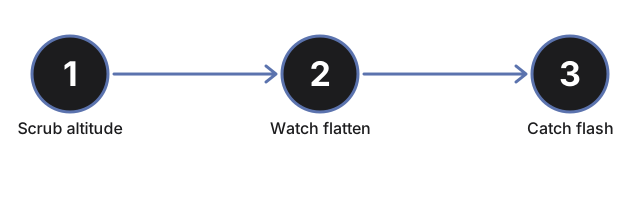
Drag the "Sun's true altitude" slider, or press "Play sunset" to lower it automatically from a few degrees above the horizon to well below it.
Watch the true marker separate from the apparent disk
The faint dashed ring is the Sun's true (geometric) direction; the bright disk is what your eye actually sees. As altitude nears zero, the disk visibly lifts above the marker and flattens into an oval.
Watch for the green flash window
Near the horizon crossing, the facts panel calls out a "green flash window" - the brief moment the last visible sliver of the upper limb can flash green.
Toggle clean, stable air
Press "Clean, stable air" to widen the green-flash window and slightly exaggerate the flattening, matching how mirage-friendly conditions make the flash easier to catch.
Drag to orbit and use fullscreen
Drag to orbit the camera, scroll or pinch to zoom, and use the Fullscreen button to expand the whole wrapper for a clearer view.
Next: see when to use this explorer or how it compares to the Twilight Types 3D Explorer.
Why trust these tools
- Ten-plus years of web tooling. The freetoolonline editorial team has shipped browser-based utilities since 2015. The goal has never changed: get you to a working output fast, without an install.
- No install, no sign-up. Open a tool and get a working output in seconds - nothing to download and no account to create. Tools that need heavy processing run it on our service, so even a low-powered machine gets the job done.
- Analytics stops at the page view. We measure which pages get visited, not what you type or upload inside a tool. There is nothing to sign in to and no profile is attached to your input.
- Open-source core components. The processing engines underneath (libheif, libde265, pdf-lib, terser, clean-css, ffmpeg.wasm, and others) are public and audit-able. We link to each one in its tool page's footer.
- Free, with or without ads. All tools are fully functional without sign-up. The Disable Ads button in the header is always available if you need a distraction-free run.