How to Use Solar System 3D Explorer - Step by Step
Solar System 3D Explorer puts the sun and all eight planets in motion in your browser. This walkthrough covers moving the camera, pacing the orbits, and pulling up real figures for any planet - no install, no account, nothing uploaded.
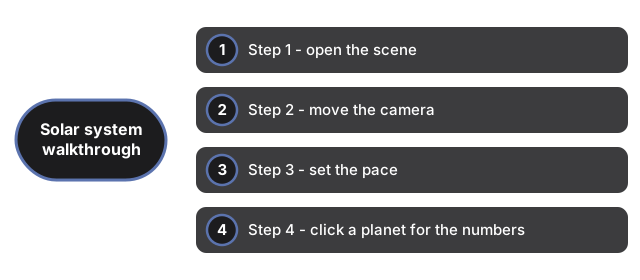
Step 1 - open the scene
Load the page and the scene starts on its own. The 3D engine is a one-time download of about 0.7 MB and is cached afterwards, so the first visit does most of the waiting. You need a current browser with WebGL; if your device cannot run it, the page says so in plain language rather than leaving a black box.
Step 2 - move the camera
Drag anywhere on the scene to orbit the view around the sun. Scroll the mouse wheel, or pinch on a touchscreen, to zoom. The camera has damping, so motion eases to a stop instead of snapping. Thin rings trace each orbit path, which helps you keep your bearings while zoomed out.
Step 3 - set the pace
The speed slider runs the orbits from a slow 0.2x drift up to 8x. At 1x an Earth year takes about 12 seconds, and the planets keep their real period ratios, so Mercury visibly laps Neptune. The pause button freezes everything mid-orbit - the easiest way to line up a screenshot or study Saturn's ring.
Step 4 - click a planet for the numbers
Click - not drag - the sun or any planet and the facts panel fills with real published figures for that body - diameter in kilometers, distance in AU, and the orbital period. On-screen sizes and spacing are compressed so all eight planets fit one view; the panel discloses that, and its numbers are the real ones.
Step 5 - go fullscreen, and know the limits
The fullscreen control expands the scene with the slider and pause button still visible. Two honest limits to keep in mind - the scene shows only the sun and eight planets, with no moons, asteroids, or comets, and starting angles are randomized, so it does not show where the planets sit in tonight's sky.
Sessions it fits, and sessions it does not
Solar System 3D Explorer suits a short sitting: a screen break spent watching the orbits, a homework visual, or a fast check of one planet's diameter or distance - quicker than flipping between reference pages. The scene rewards doing almost nothing, so it also works as background motion.
It is the wrong pick as an observation aid. Because the starting angles are randomized, as Step 5 notes, the motion carries no ephemeris accuracy. For a direct comparison with other visualizers, Solar System 3D Explorer vs alternatives names the nearest tools and when each is the stronger pick.
Why trust these tools
- Ten-plus years of web tooling. The freetoolonline editorial team has shipped browser-based utilities since 2015. The goal has never changed: get you to a working output fast, without an install.
- No install, no sign-up. Open a tool and get a working output in seconds - nothing to download and no account to create. Tools that need heavy processing run it on our service, so even a low-powered machine gets the job done.
- Analytics stops at the page view. We measure which pages get visited, not what you type or upload inside a tool. There is nothing to sign in to and no profile is attached to your input.
- Open-source core components. The processing engines underneath (libheif, libde265, pdf-lib, terser, clean-css, ffmpeg.wasm, and others) are public and audit-able. We link to each one in its tool page's footer.
- Free, with or without ads. All tools are fully functional without sign-up. The Disable Ads button in the header is always available if you need a distraction-free run.