How to Use the Earth 3D Globe - Step by Step
The Earth 3D Globe loads in two beats: a live clock line (your local time and UTC) ticks immediately, then the globe itself appears once the 0.7 MB engine finishes its one-time download. Here is each control in order.
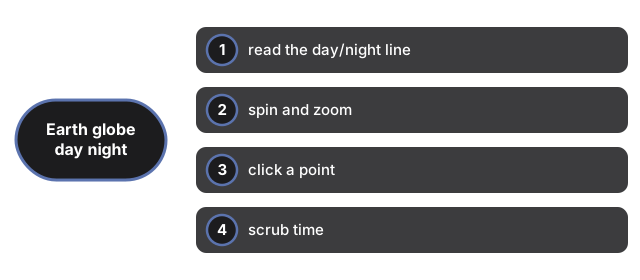
Step 1 - read the day/night line
The lit half of the globe is where the sun is above the horizon right now, computed from your device's clock; the dark half is in night, with a soft stylized glow along its coastlines. The line between them - the terminator - is live, and the readout above the scene names the point where the sun is directly overhead.
Step 2 - spin and zoom
Drag anywhere on the globe to spin it; scroll or pinch to zoom from a full-planet view down to coastline level. The Fullscreen button puts the scene on your whole screen; Escape exits.
Step 3 - click a point
Click (not drag) any spot on the globe. The panel reports its latitude and longitude, whether it is in daylight, night, or near the terminator, and its approximate local solar time - sun time derived from longitude, not civil timezone time.
Step 4 - scrub time
Step 4 - scrub time on the Earth 3D Globe day/night map: use the Time scrub slider to preview the terminator up to 12 hours ahead or behind and watch dawn cross a continent while the offset label updates.
Step 5 - trust it the right amount
Step 5 - trust it the right amount on the Earth 3D Globe day/night map: the sun position is a standard approximation good to about one degree for seeing where day is, not a precision astronomical ephemeris, and coastlines are schematic.
Wondering how this compares with a full virtual-globe app? See the Earth globe vs alternatives.
For the specific moments when the Earth 3D Globe is the right pick - quick time-zone checks, class demonstrations, short breaks - see when to use the Earth 3D Globe.
Why trust these tools
- Ten-plus years of web tooling. The freetoolonline editorial team has shipped browser-based utilities since 2015. The goal has never changed: get you to a working output fast, without an install.
- No install, no sign-up. Open a tool and get a working output in seconds - nothing to download and no account to create. Tools that need heavy processing run it on our service, so even a low-powered machine gets the job done.
- Analytics stops at the page view. We measure which pages get visited, not what you type or upload inside a tool. There is nothing to sign in to and no profile is attached to your input.
- Open-source core components. The processing engines underneath (libheif, libde265, pdf-lib, terser, clean-css, ffmpeg.wasm, and others) are public and audit-able. We link to each one in its tool page's footer.
- Free, with or without ads. All tools are fully functional without sign-up. The Disable Ads button in the header is always available if you need a distraction-free run.